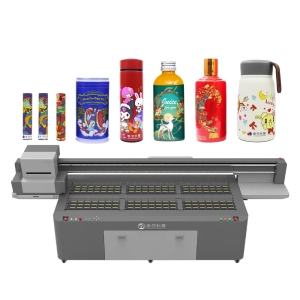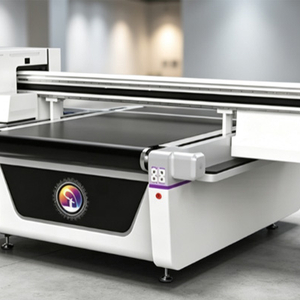
For businesses involved in sampling, customization, or mass production, the printing speed of UV flatbed printers directly affects order delivery capability and equipment utilization. The same machine may deliver significantly different output efficiency depending on file types, materials, and production methods. Many users focus only on the advertised maximum speed when purchasing equipment, while overlooking key factors such as printhead configuration, printing modes, image resolution, material handling, and UV curing. To improve UV printing efficiency, optimization is required from both equipment performance and production workflow perspectives in order to match different order structures.
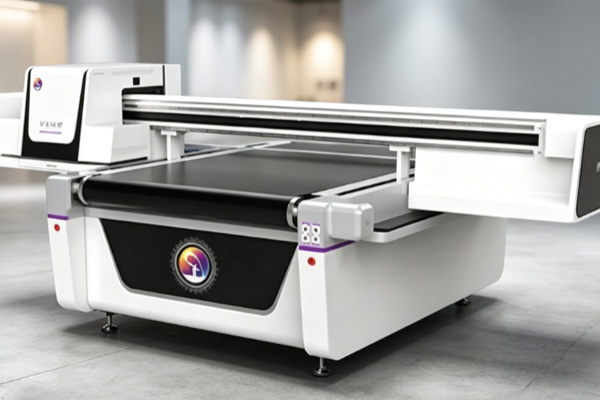
Printer Hardware Configuration Determines the Base Speed
The mechanical structure and inkjet system of a UV flatbed printer jointly determine its fundamental output capability.
Printhead Quantity and Layout Affect Output Efficiency
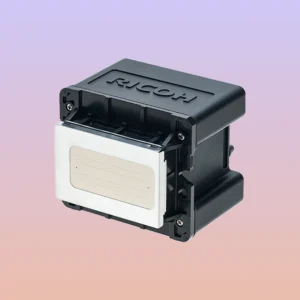
Printheads are the core components responsible for inkjet imaging in UV flatbed printers, and their quantity and arrangement directly influence coverage capability.
- A multi-printhead configuration increases ink coverage per unit time.
- The layout of printheads affects single-pass scanning width and efficiency.
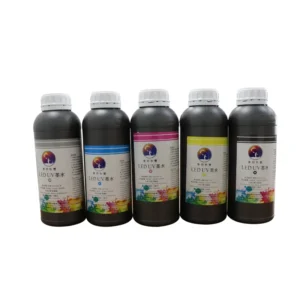
- Different channel setups for color ink, white ink, and varnish impact overall production rhythm.
- Stable printhead operation reduces downtime caused by cleaning and ink interruptions.
When selecting equipment, it is not enough to rely on the nominal speed; actual printhead configuration and application scenarios must also be considered.
Mechanical Motion System Affects Continuous Operation Capability
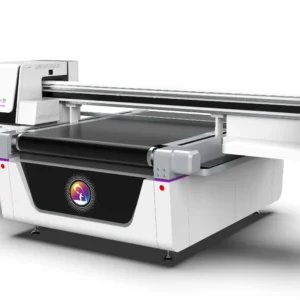
The stability of the printing platform, guide rails, motors, and transmission system directly impacts continuous production performance. The smoother the platform movement, the more stable the output rhythm. If mechanical precision is insufficient, even with high theoretical speed, issues such as positioning deviation, image misalignment, or repeated printing may occur. In addition, high-speed operation depends on strong acceleration and deceleration control to ensure stable movement of both the print carriage and platform during frequent reciprocation, preventing quality degradation at higher speeds.
Print Files and Printing Modes Change Actual Speed
The same UV flatbed printer may require different processing times for different designs, mainly depending on file complexity and output requirements.
Higher Resolution Usually Means Longer Printing Time
Print resolution determines ink dot density, which directly affects overall output speed.
- Simple text or basic graphics can use high-efficiency modes.
- Photo-quality images and gradient effects usually require higher precision.
- High-precision modes involve denser ink deposition, increasing time per unit area.
- High-detail requirements may require multiple passes to achieve better results.
Businesses can flexibly adjust parameters based on product usage instead of always using the highest precision setting.
White Ink, Varnish, and Multi-Layer Printing Increase Production Time
Color printing is only part of UV printing. Dark materials often require a white ink base layer, while high-end products may include varnish or 3D texture effects. Although multi-layer printing enhances visual and tactile performance, it also increases the number of production steps. Standard advertising graphics can prioritize efficiency modes, while premium packaging or decorative products may require additional layers to balance speed and quality.
Materials and Processing Conditions Also Affect Printing Efficiency
UV flatbed printing supports a wide range of substrates, including glass, acrylic, PVC, wood, metal, and composite materials. Different materials influence production parameters and overall workflow.
Material Size and Thickness Affect Loading and Unloading Efficiency
Large-format materials require more time for handling, positioning, and alignment, while heavy boards often need auxiliary equipment. Batch production efficiency depends not only on inkjet speed but also on:
- Material placement and positioning time;
- Alignment and calibration time;
- Finished product removal and sorting time;
- Material changeover time;
- Worktable cleaning time.
By optimizing layout planning and material specifications, waiting time can be reduced and effective machine utilization can be improved.
Material Surface Condition Affects Parameter Settings
Different materials require different levels of ink adhesion and curing performance. Some substrates require cleaning, dust removal, or priming, while special materials may need adhesion testing. The more complex the pre-treatment process, the longer the overall production cycle. Establishing a stable material supply system and standardized pre-processing workflow helps reduce repeated adjustments and allows the machine to operate continuously under fixed parameters.
Production Management Determines Final Effective Capacity
When evaluating the actual efficiency of a UV flatbed printer, it is not enough to consider only the printing area per unit time; the continuity of the entire production process must also be taken into account.
Reducing Downtime Is More Important Than Pursuing Maximum Speed
During long-term operation, production capacity is affected by multiple factors. Optimizing these processes can significantly improve overall efficiency:
- Printhead cleaning, ink replenishment, troubleshooting, and file switching all consume production time.
- A standardized maintenance system, including regular inspection of printheads, ink systems, UV lamps, and platform status, can reduce unexpected downtime.
- Centralized job nesting and unified parameter settings help reduce time loss caused by frequent switching.
- Optimized workflows allow the machine to operate in a more stable condition, improving utilization.
Combining equipment maintenance with production management helps reduce idle time and increase overall output.
Selecting Appropriate Speed Based on Order Type
Different orders require different production rhythms and should be adjusted accordingly:
- Short-run customized orders: focus on fast switching and flexibility to improve turnaround efficiency.
- Advertising batch orders: prioritize stable output and area-based productivity.
- High-end packaging or decorative orders: emphasize detail and surface quality, often requiring reduced speed to ensure results.
- Production scheduling: proper allocation of different order types reduces waiting and changeover time.
Through differentiated production strategies, overall equipment utilization can be improved while maintaining quality.
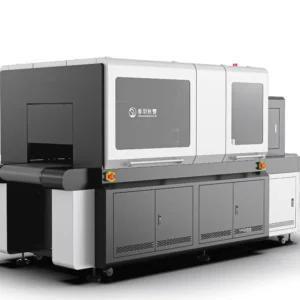
When selecting a UV flatbed printing system, decisions should not be based solely on the advertised speed. A comprehensive evaluation should include output capability, imaging precision, material compatibility, changeover efficiency, and operational stability. In real production, simply increasing carriage speed does not necessarily translate into higher productivity. Only when machine parameters, process settings, and production workflows are properly aligned can higher effective output be achieved, along with improved delivery cycles and order profitability. Springyprinter focuses on the R&D and manufacturing of industrial UV printing equipment, providing stable and efficient UV printing solutions for various application scenarios.