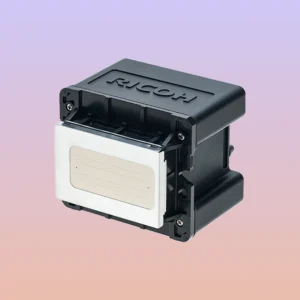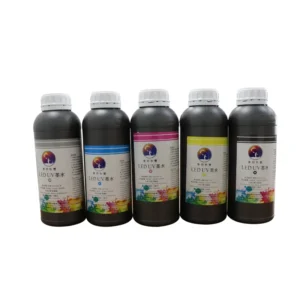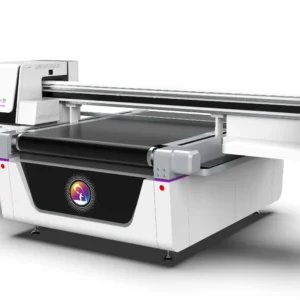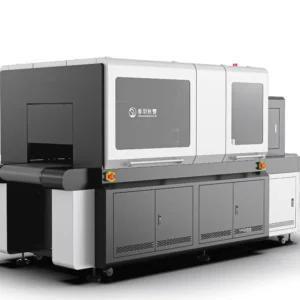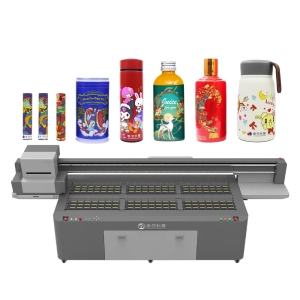
After completing a day of production, many operators simply turn off the UV printer and overlook the cleaning work before shutdown. UV ink has a fast curing property. Residual ink around the printhead, wiper blade, ink station, and UV lamp surface can easily form hardened deposits over time, affecting inkjet performance and curing results. Post-shutdown cleaning mainly focuses on key areas where ink buildup, dust accumulation, and operational instability are likely to occur. Establishing a standardized shutdown maintenance routine helps maintain print quality and reduces equipment failures and consumable waste.
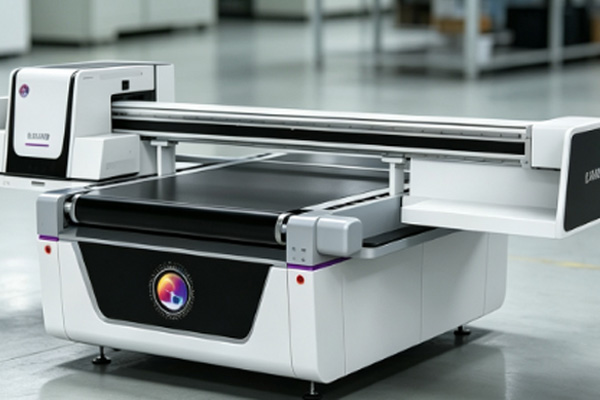
Key printhead maintenance areas to clean after shutdown
The printhead is one of the most precision-sensitive components in a UV printer, so special attention should be given to the printhead area and its maintenance components after shutdown.
Clean around the printhead and base plate
During printing, ink mist particles may attach to the area around the printhead, the carriage base, and related structures.
- Use manufacturer-specified tools to remove residual ink.
- Clean up any accumulated ink to prevent hardening that may affect operation.
- Check for dust, fibers, or cured ink spots.
- Avoid direct friction on the nozzles or using unknown cleaning solutions.
The core purpose of printhead cleaning is to reduce contamination and avoid damage, rather than frequent or aggressive wiping.
Keep the ink station and wiper blade clean
The ink station and wiper blade are important parts of the printhead maintenance system, and residual ink can gradually harden during shutdown periods. Excess ink on the wiper blade may affect subsequent cleaning performance, while poor sealing of the ink station may reduce printhead protection capability. During shutdown, residues should be removed, and the wiper blade should be checked for wear or deformation.
Ink system and waste ink areas must not be ignored
Shutdown maintenance is not limited to the printhead; the ink supply system and waste ink handling areas also require inspection and cleaning.
Check the ink path and white ink system
UV ink left in the system for a long time may cause sedimentation. White ink, due to its higher pigment content, requires special attention to circulation status.
- Check whether air bubbles exist in the ink tubes.
- Ensure stable and continuous ink supply.
- Verify the circulation status of the white ink system.
- Inspect for leakage or ink buildup at connection points.
For long shutdown periods, the ink system protection procedure should be followed according to equipment requirements, rather than relying on simple cleaning as a substitute for proper maintenance.
Timely handling of waste ink tank and waste ink area
The waste ink system should be carefully checked after shutdown to prevent contamination spread or equipment issues.
- Check whether the waste ink tank is near full capacity.
- Clean or replace waste ink containers in time.
- Confirm whether waste ink lines are blocked or backflowing.
- Keep the waste ink area clean to prevent secondary contamination.
Proper waste ink management helps maintain a stable internal environment of the equipment.
UV lamp and printing platform require synchronized cleaning
The UV curing system and printing platform directly affect final output quality, so basic cleaning and inspection after shutdown are necessary.
Clean residual deposits on the UV lamp surface
After long-term use, the UV lamp or LED UV window may accumulate ink mist, dust, and cured residues. These contaminants reduce light transmission, thereby affecting curing performance. Cleaning should be performed only after the lamp has cooled down, using dust-free tools approved for the equipment.
Keep the printing platform and working area clean
The printing platform is responsible for material positioning and support, and should be cleaned and inspected after shutdown.
- Remove ink stains and debris from the platform surface.
- Check for foreign objects in positioning areas.
- Clean fixtures to ensure stable clamping.
- Keep material contact areas clean.
- Ensure the platform remains flat and free of contamination.
A well-maintained platform helps reduce material misalignment and printing errors.
Shutdown cleaning should also consider long-term equipment stability
Different shutdown durations require different maintenance approaches, and a single simple cleaning method is not sufficient.
Short-term shutdown requires proper printhead protection
For daily shutdowns, the printhead should return to its maintenance position, and the ink station should be properly sealed. This helps reduce the impact of dust and air exposure on the inkjet system. Some machines also require basic maintenance of the wiper blade and ink station, which should follow the specific model instructions. Proper operation can effectively extend printhead lifespan and reduce clogging risks.
Long-term shutdown requires dedicated procedures
When the equipment will not be used for an extended period, systematic protection is required rather than surface cleaning alone.
- Perform targeted maintenance based on machine structure.
- Handle the ink system according to ink type.
- Apply printhead moisturizing protection to prevent clogging.
- Protect ink lines to reduce air entry.
- Focus on anti-sedimentation treatment for the white ink system.
- Seal key components for protection.
- Prioritize manufacturer-provided shutdown procedures.
Through complete long-term shutdown maintenance, the probability of issues such as clogging and ink breakage during restart can be significantly reduced.
The core of shutdown maintenance is targeted treatment of key contamination-prone areas. Different shutdown durations should match corresponding maintenance levels, and appropriate cleaning tools and procedures must be strictly followed according to equipment specifications. This helps reduce curing risks and operational instability caused by ink residue, ensuring consistent and stable equipment performance. Springyprinter focuses on industrial UV printing equipment R&D and manufacturing, providing stable machines and professional application support for enterprises.