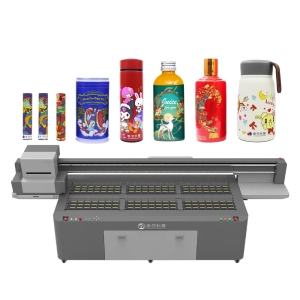
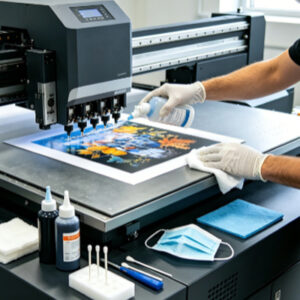
UV printers are precision digital printing devices. Components such as the printhead, ink delivery system, guide rails, capping station, and printing platform are continuously exposed to UV ink and the surrounding environment during daily operation. As the printer continues to run, small amounts of ink residue, dust, and material debris gradually accumulate on the surface and inside the equipment. Therefore, regular maintenance is essential for maintaining print quality. However, although many users make a habit of cleaning their equipment, incorrect cleaning methods can actually affect the normal operation of the printer.
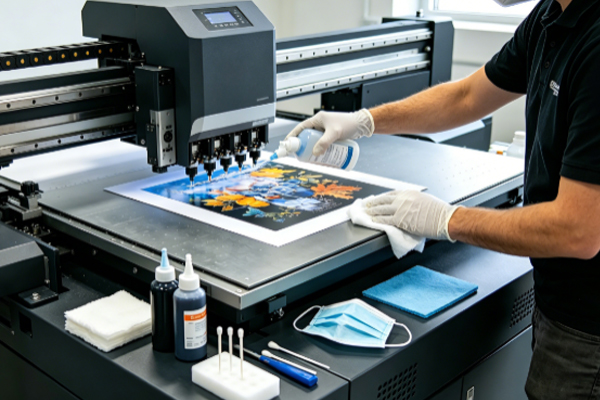
Many equipment problems are not caused by a lack of maintenance but by improper maintenance practices. For example, performing deep cleaning too frequently, using unsuitable cleaning solutions, wiping the printhead directly with tissues, or neglecting the guide rails and printing platform can all affect the condition of the equipment. These problems may not be obvious at first, but as the printer continues to operate, issues such as printhead clogging, unstable ink supply, print misalignment, and uneven colors gradually become more noticeable. This not only increases maintenance difficulty but also affects normal production.
Common Mistakes During UV Printer Cleaning
● Performing Deep Printhead Cleaning Too Frequently
Many users immediately run the printer’s deep cleaning function whenever they notice a slight decline in print quality, hoping to restore normal performance quickly. In reality, deep cleaning consumes a considerable amount of ink and increases the number of internal cleaning cycles within the printhead. If it is not actually necessary, frequent deep cleaning may place unnecessary stress on the equipment.
Routine maintenance cleaning is usually sufficient for normal operation. Deep cleaning is generally recommended only when nozzle tests show obvious abnormalities, nozzle clogging occurs, or the printer has been idle for an extended period. Scheduling cleaning according to the equipment maintenance requirements is much more beneficial for long-term stable operation than performing deep cleaning excessively.
● Using Ordinary Solvents Instead of Dedicated Cleaning Solutions
Some users try to reduce maintenance costs by using alcohol, lacquer thinner, or other industrial solvents instead of dedicated UV printer cleaning solutions, believing that any solvent capable of dissolving ink will work.In reality, different printheads and ink delivery components have different chemical compatibility requirements. Ordinary solvents may affect seals, plastic tubing, and even the internal structure of the printhead. Although no obvious problems may appear immediately, long-term use can increase the risk of component aging. Choosing a dedicated cleaning solution that is compatible with the equipment not only removes ink residue more effectively but also protects internal components and improves overall maintenance results.
● Wiping the Printhead Forcefully or Using Rough Cleaning Materials
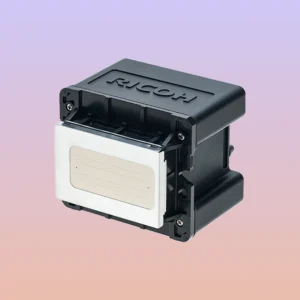
The printhead is an extremely precise component with densely arranged nozzles. When users notice ink residue on the printhead surface, some may repeatedly wipe it with paper towels, rough cloths, or other abrasive materials in an attempt to clean it quickly.This practice can scratch the printhead surface or even damage the nozzles, affecting printing accuracy. In some cases, even slight friction may reduce print quality. When cleaning the printhead, always use lint-free cloths or dedicated cleaning materials recommended by the equipment manufacturer, and follow the proper maintenance procedures to avoid shortening the service life of the printhead.
● Neglecting Maintenance of Other Components
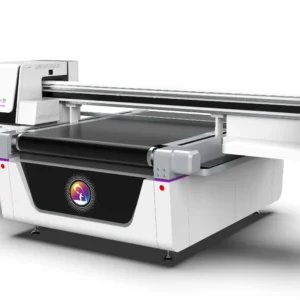
Some users believe that as long as the printhead is clean, the printer will operate normally. As a result, they focus all their attention on the printhead while overlooking the guide rails, printing platform, capping station, and ink delivery system.In fact, these components also have a significant impact on printer performance. Dust accumulation on the guide rails may cause positioning errors. Ink residue on the printing platform may affect material placement. Contaminants inside the ink delivery system may reduce ink supply stability, while ink buildup in the capping station may reduce the effectiveness of printhead moisturizing and maintenance. Keeping every critical component of the printer in good condition is much more effective than maintaining only the printhead.
How Can You Avoid Unnecessary Equipment Wear Caused by Human Error?
Many equipment problems are not caused by the natural wear of components but by improper maintenance habits that continue over time. Initially, there may only be minor broken lines or slight color variations during printing. Instead of identifying the actual cause, many users repeatedly perform incorrect maintenance procedures in an attempt to solve the problem quickly, which often makes the printer’s condition even worse.Establishing standardized maintenance procedures helps keep the printer in good operating condition. Completing routine maintenance according to the equipment manual, using appropriate tools and cleaning products, and investigating abnormalities promptly are much more effective than constantly trying different maintenance methods. Standardized maintenance not only improves printing stability but also reduces repair frequency and keeps production running more smoothly.
Frequently Asked Questions
Q: Is deep cleaning necessary every day?
Generally, no. Daily basic maintenance is usually sufficient. Deep cleaning should be performed according to the condition of the printhead and the operating status of the printer, and frequent use is not recommended.
Q: If there is ink on the printhead, can I wipe it with a tissue?
No. Ordinary tissues may leave fibers behind and can also scratch the printhead surface. Use lint-free cleaning materials recommended by the equipment manufacturer instead.
Q: Do the printing platform and guide rails also require maintenance?
Yes. The printing platform and guide rails directly affect material positioning and printhead movement. If dust or ink residue accumulates over time, print quality may also be affected.
UV printer maintenance is not simply a matter of cleaning more frequently, nor can any cleaning product achieve satisfactory results. Performing deep cleaning too often, using incompatible cleaning solutions, wiping the printhead incorrectly, and neglecting the maintenance of other components are among the most common mistakes in daily operation. Although these actions are intended to protect the equipment, they may actually affect the normal operation of the printhead, ink delivery system, and motion system.
Developing proper maintenance habits, selecting suitable cleaning products and maintenance methods according to the equipment requirements, and regularly inspecting the printhead, guide rails, printing platform, and ink delivery system help keep the printer operating reliably. Standardized maintenance not only improves print quality but also reduces the likelihood of equipment failures, keeps the UV printer performing consistently, and extends the service life of its key components.