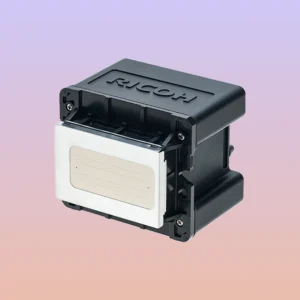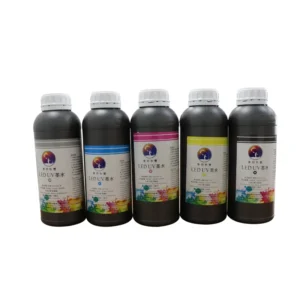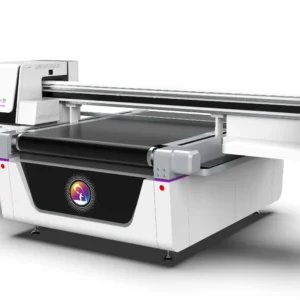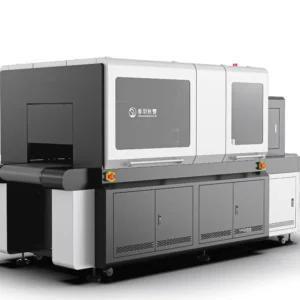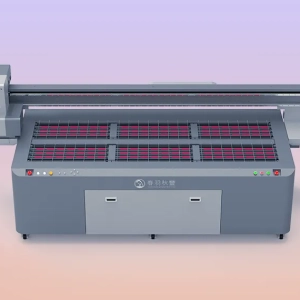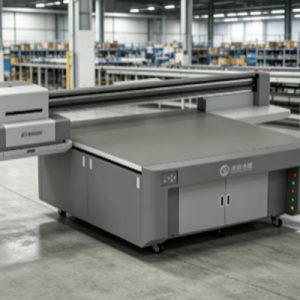
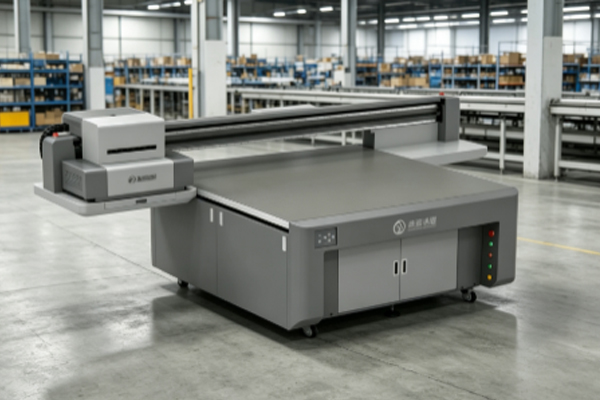
UV curing printers are increasingly used in advertising production, industrial marking, packaging printing, electronic product housing processing, and personalized product printing. As an important component directly responsible for ink ejection, the working condition of the printhead directly affects the final printing results. UV ink can cure quickly under ultraviolet light exposure, which improves printing efficiency but also makes printhead maintenance more important. During long-term operation, UV curing printheads come into contact with UV ink containing pigments, resins, and other components. If proper cleaning is neglected during equipment operation, residual ink may gradually accumulate on the nozzle surface, forming a dried ink layer that affects normal ink droplet ejection. When nozzle blockage occurs or ink supply becomes unstable, printed products may experience problems such as broken lines, missing colors, blurred patterns, and uneven color distribution. Maintaining UV curing printheads does not mean frequent disassembly of the equipment. Instead, it involves daily inspections, proper cleaning, and correct operation to keep the printhead in good working condition. Developing an appropriate maintenance schedule based on equipment usage frequency can effectively reduce the risk of printhead damage and improve the consistency of printed products.
Daily Maintenance and Cleaning Methods for UV Curing Printheads
Regularly Check the Condition of the Printhead Surface
UV curing printheads come into contact with ink every day during operation, so the condition of the nozzle surface needs to be checked regularly. Under normal circumstances, the printhead surface should remain clean without obvious ink residue or cured ink spots. If ink accumulation is found around the printhead, it should be cleaned promptly. If left untreated for a long time, ink exposed to air can easily form hardened substances that affect normal ink spraying from the nozzles. During daily inspection, users can print a test pattern through the printer’s built-in nozzle checking function to observe whether the ink lines are complete. If partial missing lines, uneven colors, or abnormal spraying directions appear, cleaning should be carried out in time.
Common maintenance methods include:
- Use a soft, lint-free cloth to wipe the area around the printhead and prevent dust from entering the nozzles.
- Check whether the printhead moisture protection device is working properly to prevent ink from drying during downtime.
- Regularly inspect ink path connection points to prevent air bubbles from affecting ink supply stability.
- Keep the inside of the printing equipment clean to reduce dust accumulation.
Good inspection habits can help users identify problems in advance and prevent minor issues from developing into serious blockages.
Use Professional Cleaning Solution to Clean the Printhead
When UV curing printheads experience slight clogging, professional cleaning solutions can be used for treatment. UV ink has special chemical properties, and ordinary cleaners may not effectively dissolve residual ink. They may also damage the printhead materials. During cleaning, an appropriate method should be selected according to the equipment structure. The printer’s automatic cleaning program can be used to allow the cleaning solution to enter the ink spraying system, softening and removing residual ink inside the system. If obvious ink stains exist on the printhead surface, professional tools can be used for assisted cleaning.
During operation, attention should be paid to the cleaning force. Sharp objects should not be used to touch the nozzle area because the nozzle structure is highly precise, and even minor damage may affect ink spraying performance. After cleaning is completed, a nozzle test should be performed again to confirm that the printhead has returned to normal operation. If missing lines still appear, further maintenance can be performed according to the test results.
Protect the Printhead During Long-Term Equipment Shutdown
If a UV printer is not used for a long period, the printhead is more likely to experience ink drying problems. Therefore, proper protection measures should be taken before shutting down the equipment. During long-term shutdown, it is recommended to first clean residual ink from the printhead surface and ensure that the ink circulation system is operating normally. Some equipment requires the use of moisturizing liquid or the execution of the built-in shutdown maintenance program to reduce nozzle drying.When restarting the equipment, it is not recommended to immediately begin large-scale production. A nozzle test should be performed first to confirm that the ink supply is normal before starting official printing.
During shutdown protection, attention should be paid to:
- Avoid exposing the printhead to air for a long time.
- Keep the operating environment temperature and humidity stable.
- Regularly check ink conditions to prevent ink sedimentation.
- Perform necessary test printing before restarting the machine.
Proper shutdown maintenance can reduce cleaning time after restarting and also help extend the service life of the printhead.
Properly Operate the Equipment to Reduce Printhead Wear
In addition to regular cleaning, correct operation of the UV printer is also an important way to protect the printhead. Many printhead problems are not caused by the equipment itself but by improper operation. For example, using unstable-quality UV ink may increase the possibility of nozzle clogging; frequent forced power-off may prevent the equipment from completing automatic maintenance procedures; and a dusty printing environment can also affect ink spraying stability.During daily use, suitable consumables should be selected according to equipment requirements, and the operating environment should be kept clean. When replacing ink, different types of ink should not be mixed to prevent chemical reactions that may affect printing results. The printhead is a high-precision component, so maintenance requires patience. Incorrect methods should be avoided simply to solve problems quickly.
The Impact of Keeping UV Printheads Clean on Printing Quality
The cleanliness of UV curing printheads directly affects the quality of printed products. A stable ink spraying condition allows ink droplets to accurately reach designated positions, making patterns clearer and colors more uniform. If the printhead is not maintained for a long time, nozzle blockage can reduce ink output, causing visible defects in printed images. For example, when printing fine text, blockage may cause blurred edges of characters; when printing large areas of color, uneven color intensity may appear.Regular printhead cleaning can not only improve printing quality but also reduce equipment maintenance frequency. By establishing a fixed maintenance process, operators can check nozzle conditions every day and arrange deep cleaning according to actual usage, ensuring long-term stable equipment operation. Proper printhead maintenance is an important part of improving production efficiency. Once the equipment operates steadily, it can reduce repeated printing, material waste, and production downtime.
Frequently Asked Questions
How often should a UV printhead be cleaned?
The cleaning frequency depends on equipment usage. If the equipment operates continuously every day, daily inspections can be performed, and whether deep cleaning is needed can be determined according to nozzle test results. If the equipment is used less frequently, regular maintenance is still required to prevent ink drying and clogging.
What should be done if the printhead has broken lines?
When broken lines appear, a nozzle test should be performed first to determine which color or which nozzle has a problem. Minor issues can be handled through the automatic cleaning function of the equipment. If the problem does not improve, professional cleaning solution can be used for further maintenance.
Can alcohol be used to clean UV printheads?
It is not recommended to use alcohol casually. Different printhead materials have different levels of resistance to cleaning agents. Incorrect use may affect the nozzle structure. Cleaning should be performed with professional cleaning products suitable for UV printing equipment.
Why is the printing effect still poor after cleaning?
If problems remain after cleaning, they may be related to printhead aging, abnormal ink supply, ink quality issues, or incorrect equipment parameter settings. Inspection should be performed based on test results rather than repeatedly cleaning the printhead.
UV curing printheads are core components of UV printers. Keeping them clean and operating stably is an important condition for ensuring printing quality. Because UV ink has fast curing characteristics, residual ink can easily adhere to the nozzle area. Therefore, users need to perform daily inspections and regular maintenance. During maintenance, appropriate methods should be selected according to the actual condition of the equipment. Simple problems can be solved through the equipment cleaning program, while more serious blockages require professional cleaning solutions.
At the same time, proper protection during equipment downtime can also reduce printhead drying and clogging problems. Good operating habits include regularly checking nozzle conditions, maintaining a clean equipment environment, selecting suitable consumables, and operating the equipment according to requirements. Although these details may seem simple, they are very important for extending printhead service life and maintaining printing quality. UV curing printhead maintenance requires long-term attention rather than only handling problems after they occur. Through standardized cleaning procedures and reasonable maintenance methods, the equipment can maintain stable ink spraying performance, improve product printing quality, and reduce failures and losses during production.