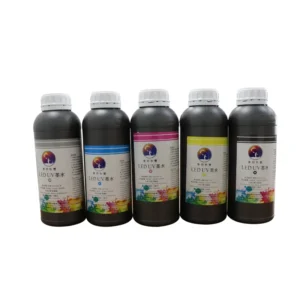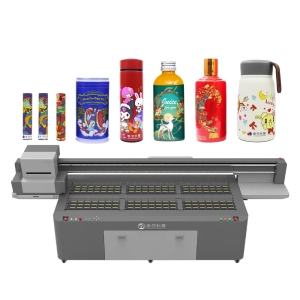
When people see products with embossed effects, matte finishes, or unique surface textures, they often wonder how these special effects are created. In reality, 3D texture printing is not simply about adding more colors. It is achieved through the combination of UV ink and inkjet printing technology, allowing flat surfaces to present richer visual depth. UV ink plays an important role during the printing process. It not only affects image clarity but also determines the overall texture performance. By properly controlling ink properties, printing layers, and curing effects, UV printers can create premium surface effects on packaging, decorative materials, advertising products, and other applications.
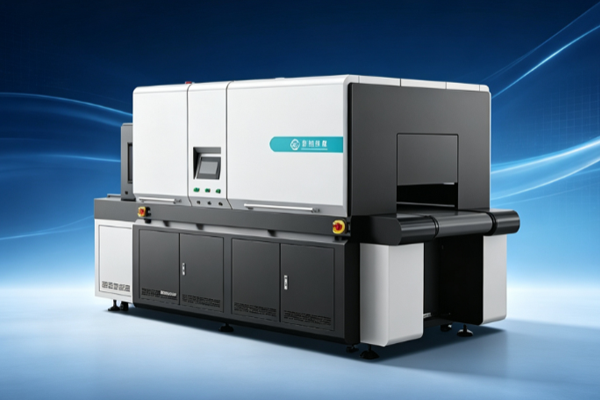
Why Can UV Ink Create 3D Texture Effects?
Compared with traditional printing inks, UV ink offers fast curing, wide material compatibility, and strong visual performance. During 3D texture printing, the ink is not only responsible for displaying colors but also works with printing technology to enhance the surface depth and create a more dimensional appearance.
UV ink creates texture effects mainly through:
- Ink layer thickness variation: By controlling the amount of ink applied to different areas, patterns can achieve depth changes and a three-dimensional visual effect.
- Fast curing performance: After UV light exposure, the ink quickly hardens, reducing spreading issues and keeping texture edges sharper.
- Combination of different ink types: The use of color ink, white ink, varnish, and other combinations creates more surface effects.
Because of these characteristics, UV ink allows printed graphics to go beyond simple color coverage and achieve richer texture effects, adding greater design value to products.
How Do Different UV Ink Combinations Affect Texture Performance?
3D texture printing effects are not created by a single type of ink. The combination of different UV inks directly influences the final appearance. Proper ink combinations can create stronger visual layers and meet different product design requirements.
Common combinations include:
- Color ink for detailed graphic reproduction: Used to reproduce images, text, and complex designs while adding rich colors to the texture effect.
- White ink for enhanced depth: On transparent or dark materials, white ink improves coverage and makes colors appear more vibrant.
- Varnish for surface enhancement: Local gloss effects can create different appearances, such as glossy or matte finishes.
- Multi-layer printing for stronger texture effects: Adjusting printing layers according to design requirements can make textures more noticeable.
For premium packaging, brand displays, and customized products, focusing only on color is no longer enough. Different ink combinations help businesses create unique surface effects and improve product appeal.
How Does UV Ink Quality Affect 3D Texture Printing Results?
Even when using the same UV printing equipment, different inks can produce significantly different results. Ink stability, fluidity, and curing performance all affect whether textures appear natural and whether colors remain accurate.
Key factors influencing printing quality include:
- Ink flow performance: Stable ink conditions help reduce printhead clogging and ensure smoother printing operations.
- Color reproduction ability: High-quality ink can reproduce design colors more accurately and reduce color differences.
- Material adhesion performance: Different materials have different requirements for ink adhesion, and suitable ink improves printing stability.
If ink quality is unstable, problems such as unclear textures, uneven colors, or weak surface effects may occur. When producing 3D texture prints, businesses should pay attention not only to printer performance but also to the compatibility between UV ink and printing materials.
How Can UV Ink Be Optimized for 3D Texture Printing Applications?
To achieve ideal 3D texture printing results, choosing the right UV ink is only the first step. The entire printing solution should also be adjusted based on product requirements. Different products have different expectations for texture depth, surface gloss, and durability.
Important considerations include:
- Selecting the right ink solution based on materials: Acrylic, glass, metal, plastic, and other surfaces have different characteristics and require suitable printing approaches.
- Testing printing effects in advance: Sample testing helps adjust ink layers, colors, and curing settings while reducing production risks.
- Designing textures based on product positioning: Premium packaging may require delicate textures, while display products may benefit from stronger visual effects.
A well-planned ink application strategy not only improves printing quality but also helps businesses increase production efficiency. For long-term production needs, stable texture performance and consistent results are equally important.
UV ink is a key factor in achieving 3D texture printing effects. It influences not only color performance but also the depth and visual quality of product surfaces. By selecting suitable ink types, optimizing printing parameters, and matching different materials, UV printing can transform ordinary surfaces into more attractive and detailed textures. From packaging design and advertising displays to customized products, 3D texture printing is helping more industries improve product appearance and create stronger visual experiences for brands.