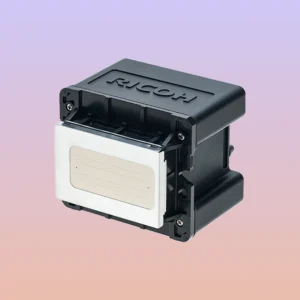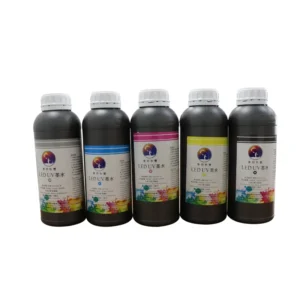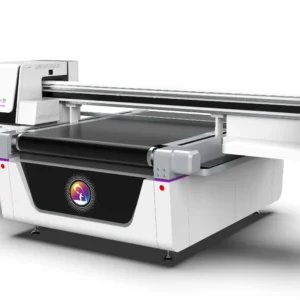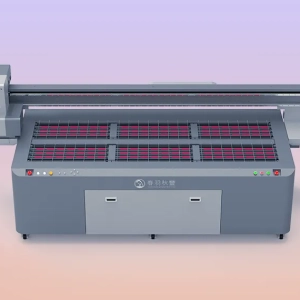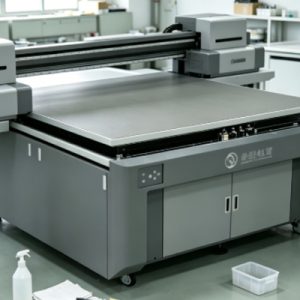
UV printers are increasingly used in advertising production, packaging printing, decorative printing, and personalized product processing. Among their functions, white ink printing can achieve base color coverage, embossing effects, and printing on special materials, providing products with richer visual effects. However, because white ink contains a large amount of high-density pigment particles such as titanium dioxide, it is more likely to experience sedimentation, clogging, and poor flow compared with ordinary color inks. Therefore, regular cleaning of the white ink channel is very important. If the white ink channel is not maintained for a long time, pigment particles in the ink can gradually accumulate inside the ink path, ink damper, and print head, causing problems such as white ink breaks, color deviation of the print head, and missing patterns during printing.
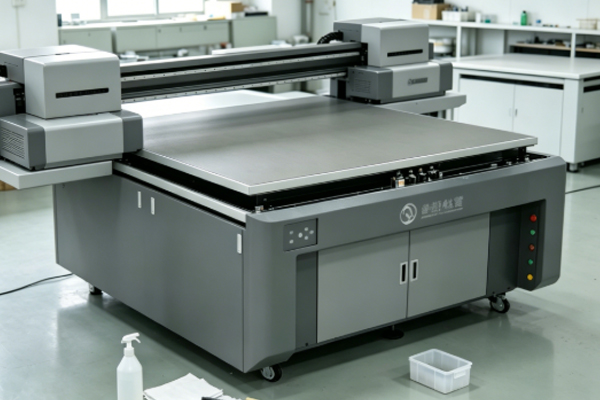
Especially after the equipment has been idle for a long period, the sedimentation speed of white ink will increase significantly. If the issue is not properly handled when restarting the machine, it may affect printing quality and even damage the print head. Cleaning the white ink channel of a UV printer is not simply a matter of flushing the ink path. The appropriate cleaning method needs to be selected according to the actual condition of the equipment. Under normal circumstances, operators need to combine daily maintenance, the ink circulation system, and the condition of the print head for proper handling. Proper cleaning of the white ink channel can maintain stable ink flow, improve printing quality, and reduce equipment maintenance costs.
Specific Cleaning Methods for UV Printer White Ink Channels
Daily White Ink Circulation and Basic Cleaning
UV printers are usually equipped with a white ink circulation system. By continuously circulating the ink, the system helps keep white ink in a uniform state and reduces pigment sedimentation. Therefore, during daily operation, users should enable the built-in white ink circulation function to keep the ink flowing normally. If the equipment has production tasks every day, the circulation function can be scheduled through the machine control system to keep the white ink moving between the ink cartridge, ink tubes, and print head. When the white ink printing effect begins to decline, basic cleaning can be performed first without immediately disassembling the ink path.
During basic cleaning, operators can enter the print head maintenance function through the equipment menu and select the cleaning mode. The machine will automatically draw ink and flush the print head channels. After cleaning, a nozzle test pattern should be printed to check the condition of the white ink nozzles. If the white ink lines become complete again, it indicates that the basic cleaning has achieved the desired effect. During daily maintenance, attention should also be paid to the condition of the white ink bottle. If obvious ink layering is found, the ink should be mixed evenly in time or handled according to the manufacturer’s requirements to prevent large amounts of sediment from entering the ink supply system.
Using Cleaning Solution to Solve White Ink Blockage Problems
When the white ink channel of a UV printer experiences slight clogging, normal cleaning may not completely solve the problem. In this case, a professional UV printer cleaning solution can be used. Before cleaning, the printer should be turned off, and the white ink supply line should be located according to the machine structure. A proper amount of cleaning solution should be added to the cleaning tool, and the solution should be introduced into the white ink channel manually or through the equipment cleaning program to dissolve residual ink inside the system.The cleaning solution can help soften dried white ink particles, allowing blocked areas to gradually return to normal flow. However, ordinary solvents should not be used as substitutes for professional cleaning solutions, because different cleaning agents may damage ink tubes, sealing rings, or internal print head structures. After using the cleaning solution, the white ink should be flushed through the system again to remove any remaining cleaning solution and prevent it from mixing with the ink and affecting printing performance. After completing the process, a nozzle test pattern should be printed to confirm that the white ink channel has returned to normal.
Deep Cleaning of the White Ink Print Head and Ink Path System
If a UV printer has not been used for a long time, or if the white ink has become severely clogged, deep cleaning is required. Deep cleaning usually includes cleaning the ink tubes, checking ink dampers, maintaining print head moisture, and inspecting the ink supply system. Operators should handle the process according to the equipment structure, and it is not recommended to disassemble the print head without sufficient knowledge of the machine. During deep cleaning, old white ink can be drained first, followed by circulating flushing with professional cleaning solution to gradually remove internal deposits. If the print head blockage is severe, soaking treatment can be used to allow the clogged materials to soften slowly.
After cleaning is completed, new white ink should be added, and the ink circulation function should be activated to allow the new ink to fully enter the entire channel system. Multiple test prints should then be performed to confirm stable white ink spraying. For UV printers used frequently, it is recommended to establish a fixed maintenance schedule, such as regularly checking the white ink circulation status and cleaning ink path connection areas, preventing problems from accumulating before they become serious.
Inspection and Daily Maintenance Methods After Cleaning
Completing the white ink channel cleaning process does not mean maintenance work is finished. The operating condition of the equipment still needs to be checked.During inspection, a nozzle test pattern can be printed to observe whether the white ink nozzles are complete. If only a small number of lines are missing, another short circulation cleaning can be performed. If white ink printing is normal, production can be resumed.
During daily use, the following points should be considered:
- Keep the white ink circulation function properly enabled to prevent sedimentation caused by long periods of ink inactivity.
- Regularly check whether there are air bubbles in the ink tubes, as bubbles can affect the stability of white ink supply.
- Perform moisture protection treatment when the equipment is idle to prevent ink from drying on the print head surface.
- Use white ink and cleaning solutions that meet equipment requirements to avoid problems caused by mixing different materials.
Good maintenance habits can reduce the possibility of white ink blockage and make printing performance more stable.
The Impact of Proper White Ink Channel Cleaning on Printing Results
Compared with ordinary color inks, the white ink system of a UV printer is more specialized, so cleaning methods directly affect equipment performance. If cleaning is insufficient, white ink may experience problems such as uneven coverage, grayish color appearance, and missing patterns. White ink is mainly used for base layers and enhancing visual effects. For example, when printing on transparent materials, dark-colored materials, or products requiring special processing effects, the quality of white ink directly affects the final result. When the white ink channel remains unobstructed, ink can be sprayed evenly, resulting in clearer patterns and more obvious layering effects.
If the same machine produces excellent printing results at the beginning but the white ink performance declines after a period of use, the main reason is usually insufficient maintenance of the white ink system. Timely cleaning of the white ink channel can reduce pressure on the print head and improve equipment stability. At the same time, correct cleaning methods can also extend the service life of the print head. The print head is one of the most important components of a UV printer and has a relatively high replacement cost. If the print head is damaged due to white ink blockage, repair expenses will increase. Therefore, regular maintenance of the white ink system is a necessary task.
Frequently Asked Questions
How often does the white ink channel of a UV printer need to be cleaned?
The specific cleaning frequency depends on how often the equipment is used. If the printer operates continuously every day, maintenance can be performed through the automatic circulation function, and frequent disassembly and cleaning are unnecessary. If the equipment has been idle for a long time, it is recommended to check the white ink condition and perform a cleaning test before restarting.
Is a broken white ink printing line always caused by channel blockage?
Not necessarily. Broken white ink lines may also be related to print head blockage, air bubbles in the ink path, ink sedimentation, or abnormal ink supply pressure. Therefore, after discovering broken lines, a nozzle test should be performed first, and the problem location should be determined based on the test results.
Can water be used directly to clean the white ink channel?
It is not recommended. UV ink is a special type of ink, and ordinary water cannot effectively dissolve its components. It may also affect the internal structure of the equipment. Professional UV printer cleaning solution should be used during cleaning.
Why is test printing still required after cleaning the white ink channel?
Because the cleaning process only restores the condition of the ink path. The actual ink spraying performance still needs to be confirmed through test patterns. Test printing can help determine whether the nozzles have fully recovered and prevent quality issues during production.
Cleaning the white ink channel of a UV printer is an important maintenance task that needs to be performed regularly. Correct cleaning methods can help the equipment maintain stable printing performance. Since white ink contains high-density pigments and is more likely to produce sedimentation, users need to pay attention to white ink circulation, ink path inspection, and print head maintenance during operation. When cleaning, the appropriate method should be selected according to the actual situation. Minor problems can usually be solved through automatic cleaning and circulation functions, while obvious blockages require professional cleaning solutions for treatment. If the equipment remains unused for a long period, protective measures should be taken in advance to prevent dried white ink from affecting the print head. Through scientific cleaning procedures and standardized maintenance methods, the white ink system of a UV printer can maintain good working conditions and provide more stable printing results for different materials. Whether for small-scale processing or mass production, proper white ink channel maintenance is an important part of improving production efficiency and reducing operating costs.