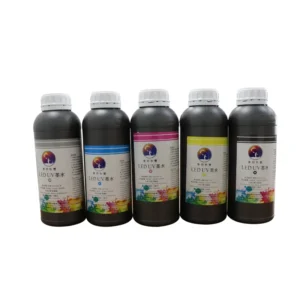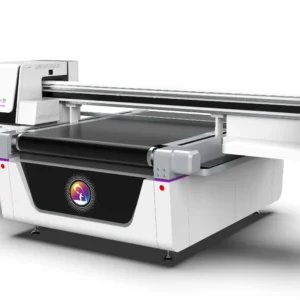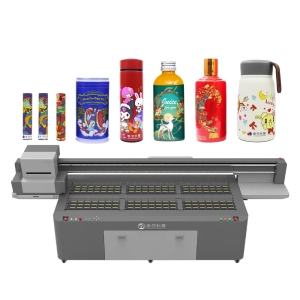
During long-term printing operations, a UV printer may require different colors, brands, or types of UV ink according to production requirements. Changing ink is not simply a matter of adding new ink into the cartridge. If the operation is not performed correctly, problems such as ink mixing, printhead clogging, color deviation, and broken printing lines may occur. Therefore, after completing an ink replacement, proper UV printer maintenance is necessary, including ink system cleaning, printhead inspection, parameter adjustment, and equipment testing. These steps help ensure that the new ink flows smoothly through the printing system and maintains stable printing quality.
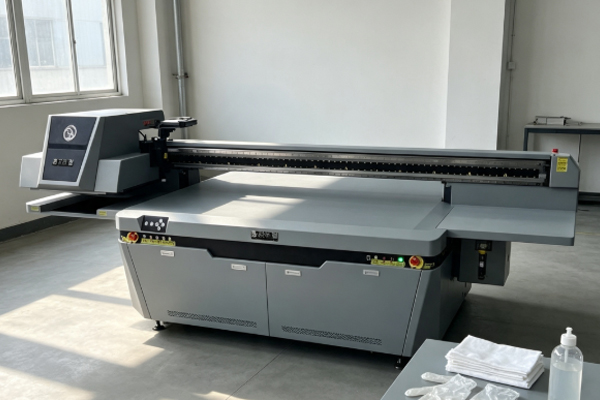
With the continuous development of UV printing technology, modern UV printers have higher requirements for ink compatibility and equipment maintenance. Proper post-ink-change maintenance can reduce equipment failures, improve printing accuracy, and extend the service life of printheads and ink supply systems. Especially with the application of LED UV ink technology, operators need to pay more attention to ink characteristics, curing performance, and equipment adjustments to maintain consistent output quality.
Clean the Ink Delivery System After Ink Replacement
Remove Residual Ink to Prevent Mixing of Old and New Ink
After replacing ink in a UV printer, some old ink may remain inside the ink delivery system. If the new ink directly mixes with the remaining old ink, chemical reactions may occur due to different ink formulations. This can reduce ink fluidity and create sediment that blocks ink tubes or printhead channels. After completing the ink replacement process, operators should inspect the ink cartridges, ink tubes, dampers, and filter components according to the structure of the equipment. If the remaining old ink has a darker color or has been used for a long time, it is recommended to use a professional cleaning solution to circulate through the system. This helps remove residual ink and keeps the ink path clean before adding new UV ink. Proper cleaning is an important part of UV printer maintenance, especially when switching between different ink brands or ink types. A clean ink system allows the new UV ink to perform better and reduces the risk of printing defects.
Check the Ink Supply System for Air Bubbles
During the ink replacement process, air may enter the ink supply system if the operation is too fast or the filling method is incorrect. Air bubbles inside the ink path can affect ink delivery stability and cause problems such as missing ink, ink spraying, or uneven color output. After replacing the ink, operators should carefully check whether visible bubbles exist inside the ink tubes. If air is found, the printer’s automatic ink pumping function should be used to remove the trapped air. At the same time, the working condition of the ink pump should be checked to ensure that ink can be delivered smoothly to the printhead. Stable ink delivery is essential for achieving high-quality results in modern UV printing technology applications.
Perform Printhead Maintenance After Changing UV Ink
Conduct Printhead Testing to Confirm Ink Output Status
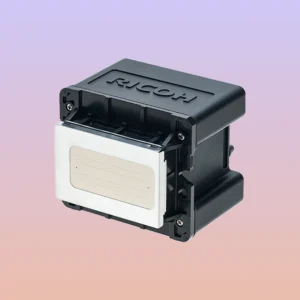
The printhead is one of the most precise components of a UV printer. After changing ink, nozzle testing should be performed immediately. By printing a nozzle check pattern, operators can verify whether each color channel is working properly and determine whether problems such as clogged nozzles or insufficient ink supply exist. If some nozzles do not spray ink correctly, a printhead cleaning process should be performed. However, frequent or excessive cleaning should be avoided because strong cleaning operations can increase printhead wear and shorten its service life. A proper maintenance routine ensures that the printhead remains stable and supports long-term printing performance.
Adjust Printhead Conditions to Maintain Printing Accuracy
Different UV inks may have different viscosity, flow speed, and curing characteristics. Even when replacing ink with the same color, slight differences may exist between formulas from different manufacturers. Therefore, the printer may require adjustments to adapt to the new ink characteristics. After ink replacement, operators should check printhead height, ink volume settings, and printing modes. If issues such as uneven colors, unclear edges, or inconsistent printing effects appear, software parameters should be optimized to improve printing stability. With the improvement of LED UV ink technology, different ink formulations may require specific curing and printing adjustments. Proper calibration helps achieve better compatibility between ink and equipment.
Re-adjust Printing Parameters After Ink Replacement
Calibrate Color Settings to Reduce Color Differences
After replacing UV ink, printed colors may slightly change. This happens because different UV ink manufacturers use different formulas, resulting in variations in pigment concentration, brightness, and visual effects after curing. After completing the ink replacement process, it is recommended to print standard color blocks for testing. Based on the test results, operators can adjust ICC color profiles, ink volume settings, and printing modes inside the printer software. This helps maintain output consistency and keep the new printing results close to previous production standards. Color calibration is a key step in professional UV printer maintenance, especially for industries requiring accurate color reproduction, such as packaging, advertising, and customized products.
Check Whether UV Curing Performance Is Stable
UV ink requires UV lamps to achieve rapid curing. If the new ink has different curing requirements from the previous ink, problems such as incomplete drying, weak adhesion, or cracking of the ink layer may occur.
After changing ink, operators should check UV lamp power, curing time, and printing speed settings. For different materials such as glass, metal, and acrylic, additional adhesion tests should be performed to confirm that the ink properly bonds to the surface. With the development of LED UV ink technology, curing efficiency has improved, but correct parameter matching is still necessary to achieve reliable printing performance.
Establish Equipment Testing Procedures After Ink Replacement
Monitor Initial Printing Performance Changes
The first several printing tasks after changing UV ink are considered an adjustment period for the equipment. It is recommended not to immediately start large-scale production. Instead, operators should complete small-batch test printing first. During testing, attention should be paid to whether the printed patterns are complete, whether colors remain stable, whether the ink layer is even, and whether ink peeling occurs on the material surface. If abnormal conditions appear, production should be stopped immediately and the possible causes should be checked. This prevents larger losses caused by printing defects.
Keep Detailed Maintenance Records
After every UV ink replacement, operators should record information such as replacement time, ink model, cleaning process, and printing test results. Long-term maintenance records help operators understand equipment operating conditions. If problems such as printhead clogging, abnormal colors, or ink compatibility issues occur in the future, these records can help identify causes more quickly and improve troubleshooting efficiency. Regular record keeping is an important part of professional UV printer maintenance management.
Frequently Asked Questions
Why Does a UV Printer Need Ink Path Cleaning After Ink Replacement?
The ink path of a UV printer may contain remaining old ink, impurities, and deposits. If these substances are not removed completely, the new ink may mix with them and affect ink stability. When changing to a different UV ink brand, cleaning becomes even more important because different formulas may not be fully compatible. Without proper cleaning, problems such as printhead blockage, unstable ink flow, and reduced printing quality may occur.
How Long Does It Take for a UV Printer to Resume Normal Production After Changing Ink?
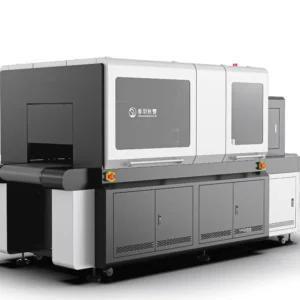
Under normal conditions, production can resume after completing ink replacement, air removal, printhead testing, and test printing. However, the exact time depends on the printer model, ink path design, and type of UV ink being used. Industrial UV printers usually require several rounds of test printing to confirm stable colors, normal nozzle performance, and reliable curing results before entering full production.
Changing ink in a UV printer is an important part of daily equipment operation. Proper maintenance after ink replacement can effectively prevent many common problems. After adding new UV ink, operators should clean the ink delivery system, check printhead performance, adjust printing parameters, and confirm UV curing results to ensure that the new ink works properly with the printer. During actual production, it is not recommended to start large-volume printing immediately after replacing ink. A small-scale test should be completed first to check color accuracy, ink output stability, and curing performance. Through careful inspection and adjustment, potential problems can be discovered early and corrected before affecting production. Although post-ink-change maintenance requires additional time, it can significantly reduce issues such as printhead clogging, broken printing lines, and color inconsistency. By combining effective UV printer maintenance practices with advanced UV printing technology and suitable LED UV ink technology, businesses can maintain stable printing quality, reduce repair costs, and extend the service life of their UV printing equipment.