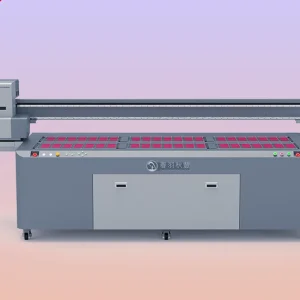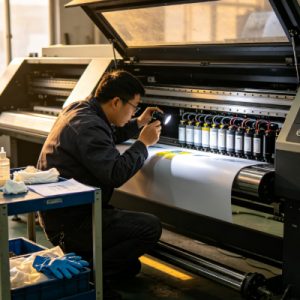
UV printers are widely used in industries such as advertising signage, packaging printing, industrial manufacturing, decorative materials, and promotional gifts. Before the printer is put into production each day, it is important to complete the necessary cleaning inspections in addition to the normal startup procedure. Many printing quality issues are not caused by equipment failure, but by skipping pre-startup inspections, resulting in dust, ink residue, abnormal printhead conditions, or unstable ink supply, all of which can affect the entire day’s production efficiency. UV printers are precision machines, and components such as the printhead, ink delivery system, guide rails, and printing platform accumulate dust and ink residue over time. If printing begins immediately after startup without inspection, problems such as missing nozzle lines, color loss, material positioning errors, and blurred images may occur.
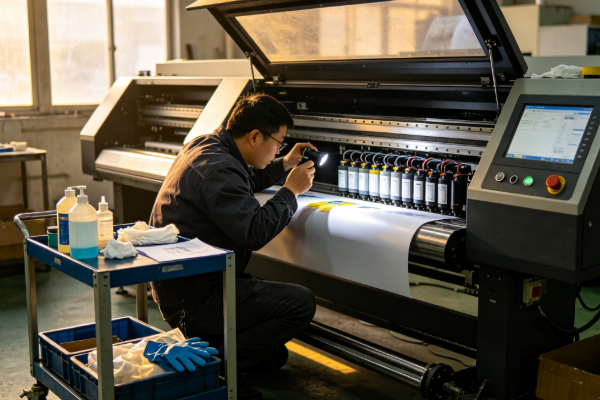
Although some of these issues may seem minor, they can increase the defect rate and waste ink and printing materials. Spending just a few minutes each day performing inspections before startup allows operators to identify and resolve small problems before production begins. For example, checking whether the printing platform is clean, whether the printhead has dried ink, whether there is sufficient ink, and whether the guide rails are free of debris are all simple but essential tasks. Developing the habit of performing cleaning inspections before startup not only helps maintain the UV printer in good working condition but also extends the service life of the printhead and mechanical components. Equipment maintenance does not always require complicated procedures. Many problems can be prevented through routine inspections, making the printing process smoother and more reliable.
Which Areas Should Be Checked Before Starting a UV Printer?
Check the Printhead and Nozzle Condition
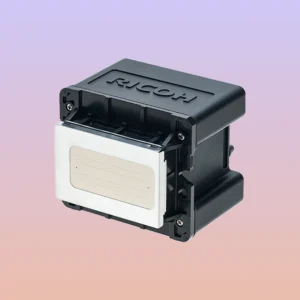
The printhead is the most important component of a UV printer and should receive special attention before startup. During periods when the machine is idle, a small amount of ink may remain on the nozzle surface. If it is not cleaned in time, the ink may gradually dry and affect inkjet performance. Before startup, inspect the area around the printhead for obvious ink buildup or dust accumulation. If the printer is equipped with an automatic moisturizing or capping system, confirm that it is functioning properly. After the visual inspection, print a nozzle check pattern once the printer has started to verify that all nozzles are working correctly. If a few nozzles are missing, perform an automatic cleaning cycle before continuing the test.
When inspecting the printhead, pay attention to:
- Check for dried ink residue around the nozzles.
- Confirm that the moisturizing or capping system is functioning properly.
- Inspect the area around the printhead for dust.
- Print a nozzle check pattern to verify inkjet performance.
Keeping the printhead clean helps reduce clogging and improves printing quality.
Check the Ink and Ink Supply System
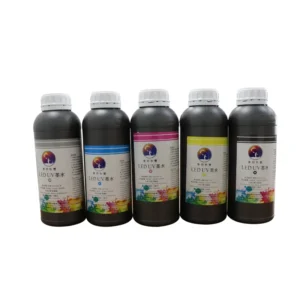
A stable ink supply system is essential for the normal operation of a UV printer, so the ink condition should also be checked before startup each day. Verify that all ink colors have sufficient levels, especially white ink, which contains a higher pigment concentration and is more likely to settle. If the printer is equipped with a white ink circulation system, confirm that it is operating normally to keep the ink evenly mixed. At the same time, inspect the ink tubes for excessive air bubbles. If air enters the ink supply system, it may cause missing lines or unstable color output during printing. It is recommended to check the following:
- Whether the ink level is sufficient for the printing job.
- Whether the white ink circulation system is operating normally.
- Whether there are obvious air bubbles inside the ink tubes.
- Whether there are any ink leaks around the cartridges or connections.
A stable ink supply system enables the printhead to continuously deliver uniform ink droplets and helps reduce printing abnormalities.
Clean the Printing Platform and the Interior of the Printer
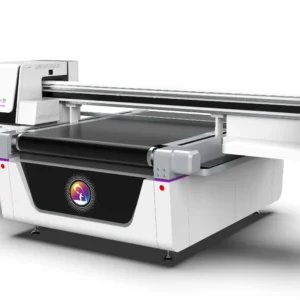
The printing platform comes into contact with different materials every day and easily collects dust, debris, and ink residue. If there is debris where the material is placed, printing accuracy may be affected. Before startup, use a lint-free cloth to clean the platform surface and check whether the vacuum holes are blocked by dust. If cured ink is found on the platform, remove it promptly to ensure the material can be placed flat. In addition to the platform, perform a quick inspection of the interior of the printer, such as checking for debris near the guide rails and foreign objects in the printing area.
The cleaning process should include the following:
- Wipe dust from the printing platform.
- Remove leftover material debris.
- Check whether the vacuum areas are blocked.
- Inspect the guide rail area for cleanliness.
Keeping the interior of the printer clean reduces the amount of dust entering the inkjet area and improves equipment stability.
Check Mechanical Operation and the Working Environment
Before formal printing begins, observe whether the mechanical structure and working environment are in good condition. For example, check whether the guide rails move smoothly, whether the cables are properly positioned, and whether there are any obstacles in the work area that could interfere with machine movement. If the printer has not been used for an extended period, also check whether any moving parts produce abnormal noises. The working environment also affects print quality. If there is excessive dust in the air, it can easily enter the printer, so organizing the work area before startup is also an important part of routine maintenance.
The inspection should include:
- Whether the guide rails move smoothly.
- Whether the work area is clean and organized.
- Whether the cable connections are secure.
- Whether there is excessive dust in the surrounding environment.
A well-maintained printer combined with a clean working environment helps reduce problems during the printing process.
How Do Pre-Startup Cleaning Inspections Improve Print Quality?
Many users believe that as long as the printer starts normally, production can begin immediately. However, spending just a few minutes performing pre-startup inspections can prevent many printing issues. For example, if the printhead has a minor clog that goes undetected, missing colors may appear during production, resulting in an entire batch of products requiring rework. If there is dust on the printing platform, the material may not sit completely flat, causing printing misalignment. Air bubbles in the ink path may also lead to broken color output. Standardized inspections allow these issues to be identified and resolved before production begins. This not only reduces waste but also saves ink and printing materials. Consistent maintenance over the long term also extends the service life of the printhead, guide rails, and ink supply system, reduces maintenance frequency, and improves production efficiency.
Frequently Asked Questions About Pre-Startup Inspections
Is it necessary to print a nozzle check pattern every day before production?
Yes. It is recommended to perform a nozzle check after starting the printer each day. The process only takes a short time but allows operators to quickly evaluate the printhead condition and avoid discovering printing problems during production.
Can I print directly if there is only a small amount of dust on the printing platform?
No. Even a small amount of dust may affect how well the material sits on the platform. This is especially important when printing high-precision products, where maintaining a clean platform is essential.
Does the pre-startup inspection take a long time?
Usually, it only takes a few minutes. Once a standard inspection procedure has been established, operators can complete the inspection quickly without affecting the normal production schedule.
Performing cleaning inspections before starting a UV printer each day is an essential part of equipment maintenance. By checking the printhead, nozzles, ink delivery system, printing platform, guide rails, and working environment, potential problems can be identified before they affect production. Standardized inspections help keep the printer operating reliably. Printhead inspections reduce missing nozzle lines, ink system inspections ensure stable ink delivery, platform cleaning improves printing accuracy, and maintaining the guide rails and equipment environment helps ensure smooth machine operation.