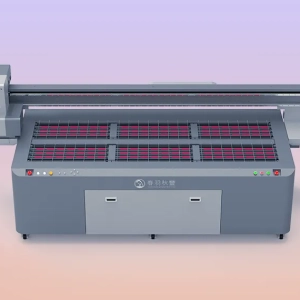
UV printers are widely used in advertising production, industrial product printing, packaging processing, decorative material printing, and other fields. These machines can achieve high-quality printing on various material surfaces through the rapid curing characteristics of UV ink. However, when the equipment is left unused for a long period, improper maintenance and cleaning can easily cause problems such as printhead clogging, dried ink, blocked ink paths, and abnormal machine startup. Unlike ordinary water-based ink, UV ink has the characteristic of rapid curing. After the equipment stops operating, the remaining ink in the printhead, ink tubes, and ink path system may gradually dry and form cured particles. These particles can affect normal ink flow and, in severe cases, may cause printhead blockage, affecting future printing performance.
Many users believe that shutting down the power is enough when the equipment is not in use, but this approach can create difficulties during later operation. Especially because the printhead of a UV printer is a precision component, long-term exposure to air can cause the ink on the nozzle surface to dry, and dust may also enter the inside of the equipment. If the machine is restarted without inspection, problems such as broken printing lines, missing colors, and incomplete patterns may occur. Therefore, before leaving a UV printer unused for a long time, a complete shutdown maintenance process should be carried out, including printhead cleaning, ink path treatment, equipment condition inspection, and dust protection. Proper maintenance methods can not only reduce the probability of equipment failure but also shorten debugging time after restarting, allowing the printer to return to normal operation more smoothly.
Maintenance and Cleaning Methods Before Long-Term Shutdown of a UV Printer
Clean the Printhead and Protect the Nozzles
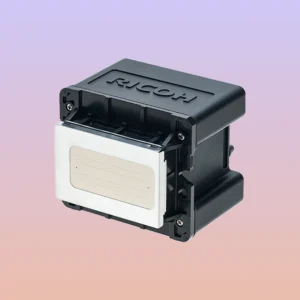
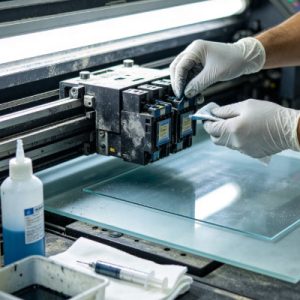
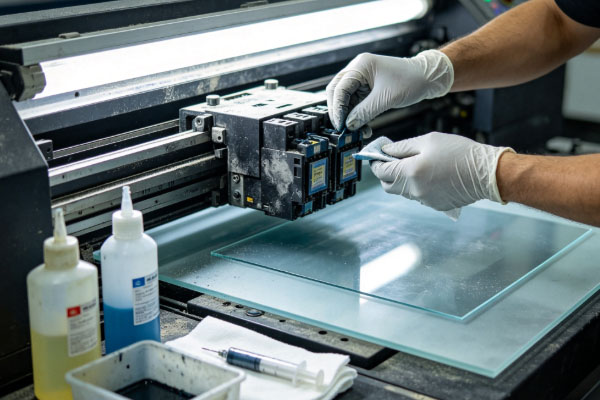
The printhead is one of the most important components requiring protection in a UV printer. Before long-term shutdown, it must be properly cleaned. If residual ink on the printhead surface is not removed in time, UV ink will gradually cure and block the nozzle holes, affecting future ink spraying performance. Before shutting down the machine, the built-in cleaning program can be used to clean the printhead. After cleaning is completed, a nozzle test pattern should be printed to confirm whether all colors are spraying normally. If some nozzles show missing lines, further maintenance should be performed until the ink spraying condition becomes stable. When cleaning the printhead, professional UV printer cleaning solution and lint-free tools should be used to avoid damage caused by ordinary cleaners.During daily shutdown protection, pay attention to the following points:
- Use a soft, lint-free cloth to remove residual ink around the printhead.
- Check whether the printhead moisture protection device is working properly.
- Avoid wiping the nozzle surface with hard objects to prevent physical damage.
- Keep the printhead in good protective condition after cleaning.
Proper printhead maintenance can reduce clogging problems when restarting the equipment after a long shutdown period.
Maintain the Ink Path System to Prevent Ink Sedimentation
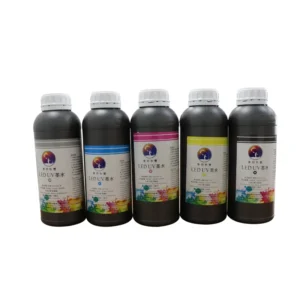
When a UV printer is unused for a long time, the ink inside the ink path system also needs to be properly handled. Ink that remains stationary for a long period may experience sedimentation, especially white ink, which contains more pigment particles and is more likely to separate. If the equipment is only shut down for a short period, the normal ink supply condition can be maintained, and the ink circulation function can be activated regularly. However, if the shutdown period is long, the ink path should be cleaned according to equipment requirements. During ink path maintenance, it is necessary to check whether there are air bubbles inside the ink tubes. If air bubbles remain in the ink supply system, they may cause unstable ink delivery after restarting and affect printing quality.
When maintaining the ink path, pay attention to:
- Check the ink condition in the ink cartridge and avoid using ink that has obvious sedimentation.
- Perform the ink path cleaning procedure according to equipment requirements.
- Use professional maintenance fluid to protect the ink path during long-term shutdown.
- Check ink tube connection points to prevent ink leakage.
Keeping the ink path unobstructed is the key to ensuring normal operation of the UV printer after restarting.
Clean the Equipment Interior and Apply Dust Protection Measures
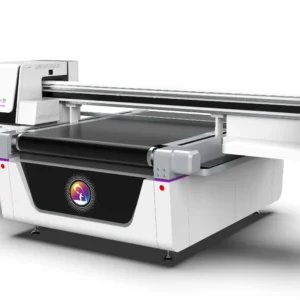
When a UV printer is stored for a long period, the internal environment of the equipment also needs to be organized. After dust enters the printing area, it can easily attach to the guide rails, platform, and areas near the printhead, affecting the operating accuracy of the equipment. Before shutdown, the external and accessible internal areas of the machine should be cleaned. Remove residual material debris from the working platform, wipe dust from the equipment surface, and check whether moving parts contain foreign objects. Dust protection is equally important. If the printer is placed in an environment with a lot of dust, it is recommended to cover the equipment with a dust cover, but ensure that the machine is completely powered off and stored in a dry environment.
When cleaning the equipment, pay attention to:
- Do not allow moisture to enter the electrical areas.
- Avoid using fabrics that easily shed fibers to wipe the equipment.
- Regularly check the surrounding environment to reduce dust sources.
- Keep the storage area ventilated and dry.
A good storage environment can slow equipment aging and improve stability when the machine is used again.
Perform a Complete Inspection Before Restarting
After a UV printer has been unused for a long time, it should not immediately start production after being turned on. A complete inspection must be performed first. After startup, observe whether the equipment starts normally, check the ink supply condition, printhead status, and operating sounds of the machine. If abnormal warnings appear, problems should be solved before printing tests are performed. During restart, a nozzle test should be carried out first, followed by test printing to confirm whether color output and pattern quality are normal. If the white ink, color ink, or varnish channel shows abnormalities, further cleaning is required.
Before restarting, check:
- Whether the printhead has dried ink residue.
- Whether the ink path remains unobstructed.
- Whether the ink has experienced sedimentation.
- Whether the equipment control system is operating normally.
A complete inspection can prevent quality issues after the equipment is suddenly put into production.
The Impact of Long-Term Shutdown Maintenance on UV Printing Performance
The stable operation of a UV printer is closely related to daily maintenance habits. When the equipment is unused for a long time, improper handling can easily cause the performance of multiple components to decline. Printhead clogging is one of the most common problems caused by long-term shutdown. Since UV ink cures quickly, residual ink may block nozzles and cause defects in printed patterns. Especially in high-precision printing tasks, the condition of the printhead directly affects product quality.
The ink path system is also a key area requiring protection. If ink remains in the pipelines for a long time, pigment sedimentation may occur, reducing ink supply speed. When the equipment is restarted, a longer cleaning and adjustment process may be required. In addition to the printing system, the mechanical parts of the equipment also need to be maintained properly. For example, if dust accumulates on guide rails, moving platforms, and other areas, it may affect the operating accuracy of the equipment. Therefore, keeping the equipment clean during shutdown can reduce later maintenance work.Proper shutdown maintenance does not require a large amount of additional effort, but it can prevent many problems when the equipment is used again.
Frequently Asked Questions
Does a UV printer need cleaning if it is not used for one month?
If the equipment has been unused for about one month, basic cleaning and inspection are recommended. The printhead surface should be cleaned, the ink path condition should be checked, and a nozzle test should be performed before restarting.
Can a UV printer be directly powered off when not in use?
It is not recommended to simply cut off the power and leave the machine unused for a long time. Before shutdown, the equipment should complete automatic cleaning or maintenance procedures. Otherwise, residual ink may dry inside the printhead and affect future use.
How should the white ink system be handled during long-term shutdown?
Because white ink contains a higher amount of pigment, it is more likely to experience sedimentation. During long-term shutdown, the white ink circulation system should be properly maintained. If necessary, the ink path should be cleaned according to equipment requirements to prevent white ink blockage.
What should be done if the printing effect is poor after long-term non-use?
After restarting, if problems such as broken lines or uneven colors occur, a nozzle test should be performed first, followed by the cleaning procedure according to the situation. If the problem remains, the ink path and printhead condition should be checked.
When a UV printer is not used for a long time, proper maintenance and cleaning can effectively reduce equipment failures. Before shutdown, users should complete printhead cleaning, ink path maintenance, dust protection, and restart inspections to prevent printhead blockage or ink system abnormalities caused by long-term inactivity. Users should select suitable maintenance methods according to the length of the shutdown period. For short-term non-use, the focus can be placed on checking the printhead and ink circulation condition; for long-term storage, more complete cleaning and protection measures are required.
UV printers are precision equipment, and good maintenance habits help keep the machine in a stable condition. Whether during daily production or temporary shutdown periods, attention should be paid to the management of the printhead, ink path, and equipment environment. By completing cleaning before shutdown, protecting the equipment during storage, and conducting inspections before restarting, maintenance costs can be reduced and the UV printer can maintain excellent printing performance when used again.