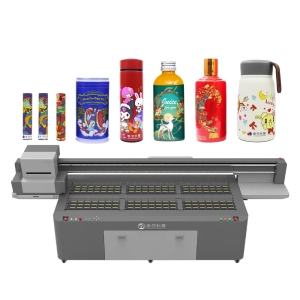
When there is ink residue on the surface of a UV printer or the printhead requires maintenance, can you simply clean it with water? Since water is a common and inexpensive cleaning medium, many people assume that wiping the equipment with clean water is both convenient and safe. In reality, UV printers are different from ordinary office printers. They use UV-curable ink, and the equipment contains printheads, ink delivery systems, electronic circuits, guide rails, and various precision components. These parts have specific requirements for cleaning products and maintenance methods, and not every area is suitable for direct contact with water.
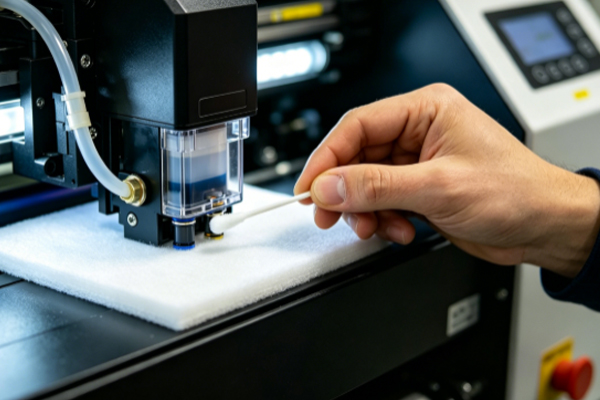
Using water carelessly may not only fail to remove cured or semi-cured UV ink, but may also allow moisture to enter the printhead, electronic circuits, or other precision components, affecting the normal operation of the equipment. Different brands and models of UV printers also have different maintenance requirements. Therefore, before cleaning the printer, users should first consult the equipment manual and select appropriate cleaning products. Proper maintenance not only helps keep the printer in good printing condition but also reduces the risk of repairs caused by incorrect operation.
Which Parts Should Not Be Cleaned Directly with Water?
● The Printhead Should Not Be Cleaned Directly with Water
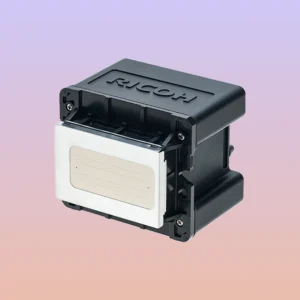
The printhead is one of the most important core components of a UV printer and requires special attention during maintenance. Unlike ordinary water-based ink, UV ink cures rapidly after exposure to ultraviolet light. Even before it is fully cured, it cannot be easily dissolved with water alone.If the printhead is rinsed directly with water, the cleaning effect is usually limited, and moisture may remain inside the printhead, affecting normal ink ejection. Some printhead materials are also sensitive to moisture, and repeated cleaning with water may gradually affect printhead performance. Printhead maintenance should always follow the equipment manufacturer’s recommendations by using compatible cleaning solutions and proper maintenance procedures.
● Keep the Ink Delivery System and Electronic Components Away from Water
The ink delivery system is responsible for transporting ink, while the printer also contains electronic components such as control boards, motors, and sensors. If these components come into contact with water, problems such as unstable ink supply, moisture damage to electrical circuits, or even short circuits may occur.Especially while the printer is powered on, water should never be sprayed directly into the machine or excessive amounts of water used for cleaning. Even when the equipment is powered off, water should not be allowed to enter connectors, wiring, or other electronic areas. Internal maintenance should always follow the procedures recommended by the equipment manufacturer to avoid problems caused by residual moisture.
● The Printing Platform Can Be Wiped Appropriately
The printing platform comes into contact with different materials every day, so small amounts of ink droplets and dust can easily accumulate on its surface. Therefore, regular cleaning is necessary. However, this does not mean the platform should be soaked with water or repeatedly scrubbed with a wet cloth.If there is only light dust, it can be removed with a soft lint-free cloth. If small amounts of ink residue remain, dedicated cleaning products can be used for wiping. Allowing excessive moisture to remain on the platform not only increases drying time but may also affect certain metal components. Keeping the platform clean helps ensure stable material placement and improves printing consistency.
● The Exterior Housing Can Be Wiped Gently
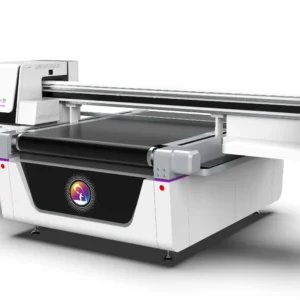
The exterior housing of the printer does not directly participate in the printing process, so its cleaning requirements are relatively simple compared with the printhead and ink delivery system. During daily maintenance, a well-wrung soft cloth can be used to remove dust and fingerprints, helping keep the equipment clean and presentable.However, care should be taken to prevent excessive moisture from entering buttons, connectors, ventilation openings, or other openings in the machine. The entire printer should never be rinsed directly with water. Keeping the exterior clean not only improves the working environment but also makes it easier to notice any abnormalities on the equipment surface.
Choosing the Right Cleaning Method Is More Important Than Using Water
Many users believe that if the printer looks clean, maintenance has been completed. However, UV printer maintenance is not simply about removing surface dust. More importantly, it is about protecting the normal operation of the printhead, ink delivery system, and other critical components.Using an inappropriate cleaning method may leave the exterior looking clean while negatively affecting the stable operation of internal components. Different areas of the printer require different maintenance methods. Dedicated cleaning solutions should be used for the printhead and ink delivery system, appropriate wiping tools should be used for the printing platform and exterior housing, and electronic components should always be kept dry. This approach not only completes maintenance effectively but also reduces the risk of accidental equipment damage. Following the manufacturer’s maintenance recommendations is much safer and more reliable than simply cleaning the printer with water.
Frequently Asked Questions
Q: Can the exterior housing of a UV printer be wiped with a damp cloth?
Yes. A well-wrung soft cloth can be used to gently wipe the exterior. However, excessive moisture should not be allowed to enter connectors, buttons, or ventilation openings, as this may affect normal operation.
Q: Can a clogged printhead be soaked in water?
Generally, this is not recommended. Printhead maintenance should be performed using the dedicated cleaning solution recommended by the equipment manufacturer to avoid affecting the internal structure and printing performance of the printhead.
Q: Why can’t water replace a dedicated cleaning solution?
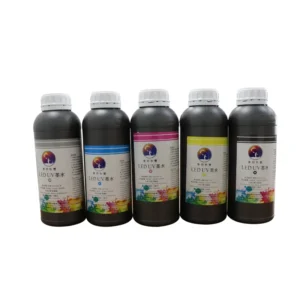
Water has limited ability to remove UV ink. Dedicated cleaning solutions are specifically formulated to remove ink residue more effectively while remaining compatible with printhead and ink delivery system materials, making them much more suitable for equipment maintenance.
UV printers are not designed to be cleaned comprehensively with water, especially critical components such as the printhead, ink delivery system, and electronic circuits, which should always be maintained using dedicated cleaning products and proper maintenance procedures. Although water may be used for removing small amounts of dust from the exterior, it cannot replace dedicated cleaning solutions and should never come into direct contact with important internal components, as this may affect print quality and equipment stability. Selecting the appropriate maintenance method for each component and following standardized maintenance practices helps protect the printhead, ink supply system, and electronic components more effectively. Consistently using proper maintenance procedures not only helps maintain stable print quality but also reduces the likelihood of equipment failures, allowing the UV printer to remain in excellent working condition over the long term.