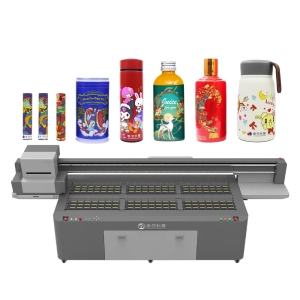
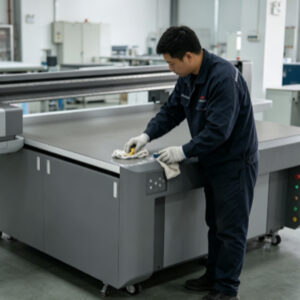
UV printers are high-precision digital printing devices. During long-term operation, the printheads, ink delivery system, guide rails, printing platform, and ink suction system are constantly exposed to ink, dust, and material debris. If daily maintenance is inadequate or incorrect cleaning methods are used, seemingly insignificant residues will gradually accumulate and affect the normal coordination between different components. When users notice a decline in print quality, they often assume that the equipment is aging or that parts have been damaged. In reality, many problems are directly related to improper routine maintenance.For example, if ink residue on the printhead surface is not removed in time, it may gradually dry and clog the nozzles.
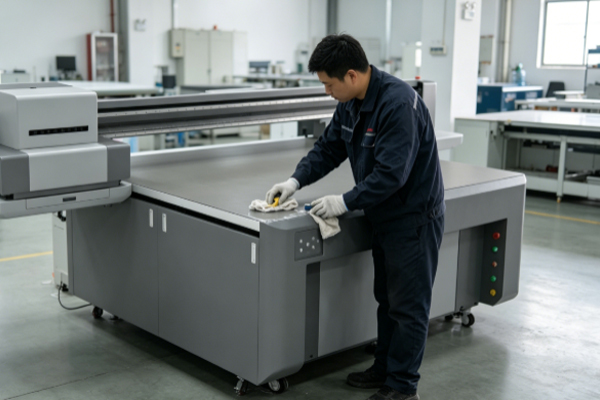
If dust accumulates on the guide rails without being cleaned, it can reduce printhead movement accuracy. Large amounts of ink residue left on the printing platform may also affect the flat placement of materials. At first, these issues may only cause occasional minor deviations, but as the printer continues operating, the frequency of faults will gradually increase, reducing printing efficiency and increasing maintenance costs. Proper maintenance does not mean frequently disassembling the equipment. Instead, it involves maintaining good maintenance habits, performing routine inspections, and carrying out standardized maintenance procedures according to the printer’s operating condition. Only by keeping every component in good condition can a UV printer maintain stable output, reduce downtime, and improve production efficiency.
What Problems Can Improper Cleaning Easily Cause?
● Printhead Clogging Causing Missing Lines and Color Loss
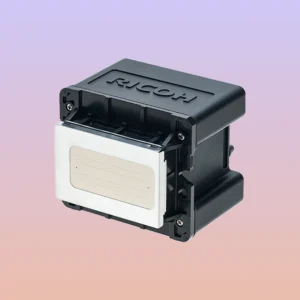
The printhead is one of the most important core components of a UV printer and is also the part most easily affected by improper cleaning. If ink residue remains on the printhead surface for a long time or if sharp tools are incorrectly used to wipe the printhead, the nozzles may become clogged, affecting normal ink ejection.After nozzle clogging occurs, printed images may show broken lines, missing colors, blank areas, horizontal banding, and reduced image clarity. If the clogging becomes increasingly severe, deep cleaning or even printhead replacement may be required, resulting in relatively high repair costs. Therefore, the printhead should always be maintained according to the equipment requirements. Avoid using unsuitable cleaning solutions and do not frequently wipe the nozzle surface manually.
● Ink System Contamination Causing Unstable Ink Supply
The ink delivery system is responsible for supplying ink steadily to the printhead. During cleaning, if insufficient attention is given to the filters, ink tubes, and cartridge connections, air, dust, or impurities can easily enter the ink supply system.When contaminants enter the ink path, ink flow may become unstable, causing insufficient ink supply for certain colors. This may result in inconsistent color density, partial ink interruption, or discontinuous printing. If routine inspection of the ink system is neglected for an extended period, clogged filters may also increase the workload of the ink pump and reduce the overall efficiency of the ink supply system.
● Dust Accumulation on Guide Rails Causing Positioning Errors
The guide rails are responsible for moving the printhead and directly affect printing accuracy. If large amounts of dust, ink residue, or material debris accumulate on the guide rails without timely cleaning, the sliding resistance gradually increases.As operation continues, slight vibration or positioning errors may occur during printhead movement, eventually leading to image ghosting, blurred edges, and inaccurate color registration. Keeping the guide rails clean and properly lubricated according to maintenance requirements can effectively reduce mechanical wear while maintaining high printing accuracy over the long term.
● Residue on the Printing Platform Affecting Product Quality
Many users pay close attention to the printhead while overlooking the printing platform. In reality, the platform comes into contact with various materials every day, allowing ink droplets, dust, and debris to accumulate on its surface.If these residues affect material placement, slight height differences may occur, changing the distance between the printhead and the material surface. This can result in blurred areas, uneven edges, or pattern misalignment. Keeping the platform clean and level helps secure materials more consistently and improves printing consistency for every production run.
How Do Equipment Failures Develop?
Many equipment failures do not occur suddenly but gradually develop through long-term accumulation during daily operation. Initially, there may only be one or two broken lines or slight color deviations. Since these problems seem minor, many operators continue production without addressing them.As ink residue accumulates and dust continues to build up, these small issues gradually interfere with the coordination between the printhead, ink system, and motion components, reducing overall equipment stability. By the time print quality noticeably deteriorates, significantly more time is usually required for maintenance and adjustment. Performing standardized maintenance not only reduces the occurrence of faults but also extends the service life of key components, allowing the equipment to maintain a more stable operating condition.
Frequently Asked Questions
Q: Does the printhead need maintenance every day?
If the printer is used daily, it is recommended to perform basic maintenance according to the equipment manual. This helps reduce ink drying and improves printhead stability.
Q: Can alcohol be used directly to clean a UV printer?
Not every component is suitable for cleaning with alcohol. Different equipment brands recommend different cleaning solutions. Always follow the manufacturer’s recommendations to avoid damaging seals or the printhead.
Q: Why does print quality become worse after cleaning?
In some cases, incorrect cleaning methods may be the cause. Excessive cleaning force, accidentally touching the printhead surface, or failing to properly remove air from the ink system can all affect printing performance. If this happens, the maintenance procedure should be carefully reviewed.
Actual Case
An advertising production company continuously used a UV printer to manufacture acrylic signage. Due to a heavy workload, the operators neglected cleaning the guide rails and printing platform for several consecutive weeks, performing only basic printhead tests.Initially, only occasional ghosting appeared. Later, color registration became increasingly inaccurate, and printing precision noticeably declined. After inspection, technicians found a significant amount of dust accumulated on the guide rails, while many cured ink spots remained on the platform surface. These conditions affected the movement of the printhead during operation.After standardized maintenance, proper guide rail cleaning, and platform restoration, the printer quickly returned to normal operating condition, and stable print quality was restored.
Many UV printer faults do not necessarily indicate poor equipment quality. More often, they are directly related to whether routine maintenance has been properly performed. Problems such as printhead clogging, unstable ink supply, positioning errors, and declining print quality are usually the result of small issues accumulating over time. By promptly removing residual ink, dust, and impurities, the overall operating stability of the printer can be significantly improved. Developing good maintenance habits and keeping the printhead, ink system, guide rails, and printing platform in excellent condition not only reduces maintenance frequency but also helps maintain consistent printing quality.