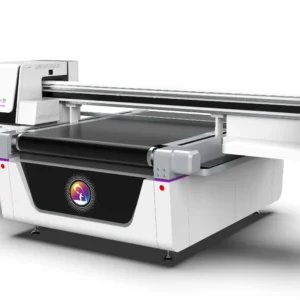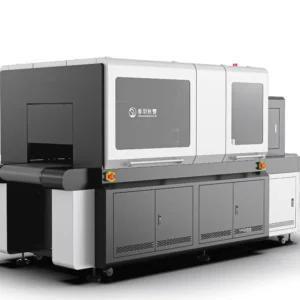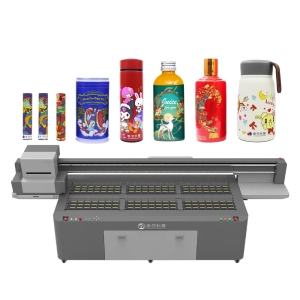
UV flatbed printers are high-precision devices in daily operation. The printheads, ink system, and motion structure are all in long-term contact with ink and fine particles from the external environment. As usage time increases, these residues, if not cleaned in time, will gradually affect printing stability. Issues such as uneven color, ink misalignment, or partial clogging become more likely. Many users may not notice obvious problems at the beginning of operation, but as usage frequency increases, small issues gradually accumulate and eventually affect overall output quality.The machine itself has a relatively precise structure and certain environmental requirements. Maintaining a consistent cleaning routine helps the printhead stay in better working condition and also reduces the risk of ink buildup inside the tubing system. Daily maintenance is not just a simple cleaning action, but more like a long-term operational habit that directly affects equipment lifespan and output stability.
Core Maintenance Operations and Cleaning Steps
● Printhead Cleaning and Protection
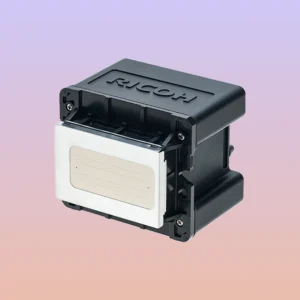
The printhead is one of the most sensitive components in the entire UV printing system because it directly controls ink ejection. Any minor clogging can affect image integrity. After long periods of operation, ink tends to remain around the nozzles and gradually dry, especially in higher temperature environments or after long idle periods. If not cleaned in time, nozzle flow will be affected, leading to broken lines or missing colors.
In daily use, keeping the printhead in a moist condition is very important. Performing basic cleaning before shutdown helps keep the surface clean and reduces ink crystallization. At the same time, avoiding long idle exposure or leaving the printhead unprotected when not in use can effectively reduce clogging risks. The more carefully the printhead is maintained, the fewer problems occur later, and the more stable the printing results will be.
● Guide Rail and Sliding Component Maintenance
The guide rail system is responsible for platform movement and printhead positioning. After long-term high-speed operation, dust, material debris, and airborne particles can easily accumulate on the rail surface. If these contaminants are not removed, friction resistance increases, movement becomes less smooth, and positioning accuracy may be affected, resulting in slight image shifts or ghosting.In daily maintenance, cleaning the guide rails should be done gently using a clean soft cloth. Avoid corrosive cleaning agents. Proper lubrication is also necessary to ensure smoother slider movement and reduce mechanical wear. In many cases, increased operating noise or uneven movement is caused by insufficient lubrication. Keeping the guide rails clean and properly lubricated is an important foundation for stable printing accuracy.
● Ink System Inspection
The ink system connects the ink cartridges, ink tubes, and printheads, serving as the main ink delivery channel. During long-term use, tiny particles in the ink or air entering the system may affect flow stability. If air bubbles or minor blockages appear in the ink lines, it may cause uneven ink output or even color interruptions.During routine checks, it is important to observe whether there are visible air bubbles in the ink tubes and confirm whether cartridge sealing is normal. If filters are not cleaned for a long time, they may accumulate debris and reduce ink supply efficiency. Keeping the ink system smooth not only improves print quality but also reduces pressure on the printhead. A stable ink system ensures more continuous equipment performance and fewer interruptions.
● Work Platform Cleaning
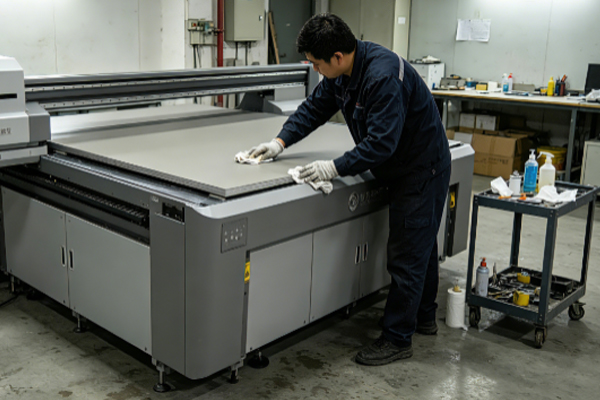
The printing platform is where materials are placed. During operation, it may accumulate UV ink droplets and dust particles. If the surface is not clean, slight height differences may occur when placing materials, which can affect ink landing accuracy and result in uneven edges or blurred areas.After each printing session, wiping the platform with a soft dust-free cloth helps maintain a flat and clean surface. Avoid using hard tools that may damage the surface. For strongly adhered ink spots, a dedicated cleaning solution can be used for gentle treatment. A clean platform not only improves positioning accuracy but also enhances overall visual consistency of finished products.
Long-Term Stable Maintenance Habits
Stable equipment performance is not achieved in a short period of time but is the result of long-term maintenance habits. In many cases, printing issues are not caused by equipment limitations but by insufficient attention to daily details such as delayed printhead cleaning, excessive dust in the environment, or unstable ink conditions.Maintaining regular basic maintenance keeps the machine in a stable operating rhythm. Even simple cleaning actions, if consistently performed, can significantly reduce unexpected issues. At the same time, keeping the working environment clean and organized helps minimize external interference. Stable output is usually the result of continuous habits rather than one-time adjustments.
Common Issues and Solutions
Q: Why does the printhead get clogged frequently?
Printhead clogging is usually related to ink drying speed, usage frequency, and environmental dust. If the machine is not used for a long time, ink may slightly dry at the nozzle, affecting flow. A dusty environment can also accelerate clogging.Regular cleaning and moisturizing before shutdown can significantly reduce clogging. Increasing test printing frequency also helps maintain ink flow stability.
Q: How to fix streaks in printing?
Streaks usually indicate uneven ink output or unstable ink supply. In some cases, minor clogging can be resolved by cleaning the printhead. If ink flow is inconsistent, it may cause local color loss. A nozzle test should be performed first, followed by checking for air bubbles in the ink tubes to locate the issue step by step.
Q: What to do if the machine becomes noisy during operation?
Increased noise is usually related to guide rail or slider friction. Insufficient lubrication or debris on the rail surface can cause this issue. Long-term lack of cleaning may also increase mechanical load. After cleaning the rails and applying proper lubrication, most noise issues will improve, and the machine will run more smoothly.
UV flatbed printer maintenance relies more on long-term operational habits to maintain stability. Key components such as the printhead, ink system, guide rails, and platform should all be kept in basic clean condition to significantly reduce issues like clogging, misalignment, or ink interruption. Many unstable performance problems are actually caused by long-term neglect of small residues.Performing simple maintenance after each workday helps keep internal conditions stable and reduces downtime for adjustments. Over time, this approach ensures smoother operation and more consistent print quality.