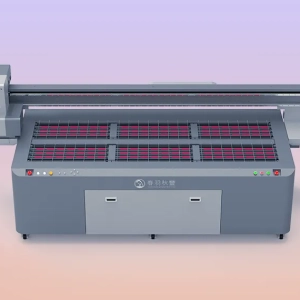
DTF printing may seem like simply transferring designs onto film, but the actual factors that determine product stability, color consistency, and transfer durability are often the preparation steps completed before starting the machine. The condition of the print head, compatibility of consumables, environmental conditions, parameter settings, and test printing inspections all play an important role. If any one of these steps is not handled properly, problems such as broken lines, powder shedding, color differences, and poor adhesion can easily occur during production. To make DTF printing smoother, reduce material waste, and minimize rework, the preparation process before printing should never be skipped.
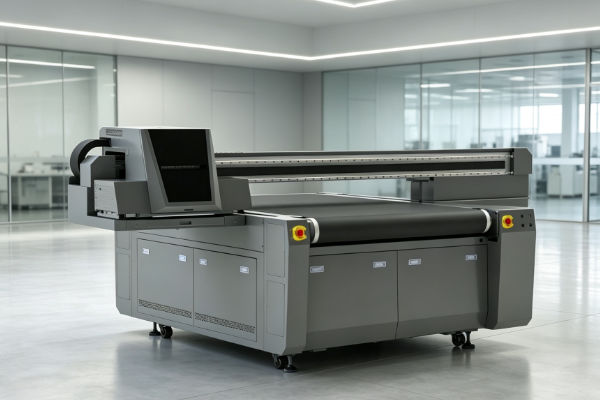
Check the Print Head and Ink Path Condition
Before starting the machine, inspect the core printing system thoroughly. This can effectively reduce unexpected failures during production and ensure a more stable printing process.
Check Whether Ink Output from the Print Head Is Even
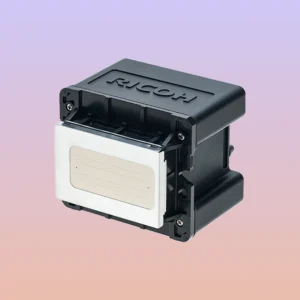
The print head is the core component of a DTF printer. Performing a nozzle check before printing helps identify hidden issues in advance and prevents problems from appearing during formal production.
- Check whether the nozzle test pattern is complete, especially looking for broken lines, missing areas, or uneven spraying.
- Check whether white ink is being sprayed evenly. Once white ink becomes unstable, the coverage and adhesion of the final design will be affected.
- Pay attention to any residual ink, dried ink, or impurities on the print head surface, as these details can reduce printing accuracy.
- If abnormalities are found, perform cleaning, ink extraction, and calibration in time instead of entering mass production with unresolved issues.
The more stable the print head condition is, the more reliable the final printing performance will be. Although this step seems simple, it is one of the most basic parts of ensuring product quality.
Check Whether the Ink Circulation System Runs Smoothly
The condition of the ink path directly affects ink supply stability during printing. This is especially important for white ink systems, where poor circulation can easily cause sedimentation and clogging.
- White ink circulation should remain active to prevent pigment settling caused by long periods of inactivity.
- Air should not enter the ink tubes, as this may cause ink interruption, unstable spraying, or faded-looking patterns.
- Ink levels should remain within a reasonable range. Too little ink affects supply, while excessive levels may increase pressure fluctuations.
- Filters, pumps, and connection points should be checked regularly to ensure there are no leaks, blockages, or aging issues.
A smooth ink path allows the print head to receive stable ink supply continuously, making the printing process more consistent and reducing downtime and rework.
Confirm Consumable Compatibility
The compatibility between different consumables often determines whether designs can be transferred onto fabrics successfully. Many problems that appear to be equipment failures are actually related to improper consumable combinations.
Match Ink, Hot Melt Powder, and Transfer Film Properly
DTF technology requires highly compatible consumables. Ink, hot melt powder, and transfer film should ideally come from a stable compatible combination to avoid issues such as weak adhesion, powder shedding, and unclear design edges. Before changing consumable batches, it is recommended to conduct small sample tests and confirm the results before mass production. The more stable the consumable combination, the better the transfer performance and the easier the production process will be.
Do Not Ignore Consumable Storage Conditions
Even high-quality consumables can lose performance if they are stored incorrectly. Many production fluctuations actually come from improper storage.
- Hot melt powder should be sealed and protected from moisture. Moisture absorption can cause clumping and affect powder distribution and melting performance.
- Transfer film should be stored flat to prevent curling. Deformed film can affect printing alignment and transfer results.
- Ink should be stored away from direct light and kept within a suitable temperature range to prevent performance changes.
- Opened consumables should be used as soon as possible to reduce contamination and performance degradation caused by long exposure to air.
Good storage habits help prevent consumable deterioration and ensure more stable printing results while reducing unnecessary waste.
Adjust Workshop Environmental Conditions
Although the environment may seem like a supporting factor, it directly affects printing stability and finished product quality, especially during continuous production.
Keep Temperature and Humidity Stable
Environmental changes can affect ink atomization, powder adhesion, and film performance. Stable temperature and humidity make the printing process more controllable and help maintain consistency.
- Workshop temperature should remain stable, avoiding large fluctuations that may affect ink condition and machine operation.
- Extremely dry air can influence ink droplet placement and film performance, making design edges appear less natural.
- Excessive humidity may cause sticking, powder clumping, or insufficient drying.
- Air conditioning and dehumidifying equipment should work together to maintain conditions suitable for DTF printing.
The more stable the environment, the fewer fluctuations occur during printing, making consistent quality easier to achieve, especially for large-scale production.
Control Dust Properly
Although dust may seem insignificant, it can easily affect film cleanliness and final product quality, especially for high-precision designs.The worktable should be kept clean to prevent powder, paper scraps, and other impurities from accumulating around the film. Dust should be avoided on the film surface, as it can affect white ink adhesion and design clarity. Keep unnecessary items away from the equipment area to maintain a clean workspace for daily inspection and maintenance. Powder handling areas and finished product areas should be managed separately to reduce cross-contamination and secondary adhesion issues.
A clean workshop environment can eliminate many hidden problems, make DTF printing more efficient, and significantly reduce the need for rework.
Set Printing Parameters and Prepare Files
The more complete the file and parameter preparation is, the fewer problems will occur during actual printing. This is especially important when working with different designs and fabrics.
Organize Image Files in Advance
File quality determines the foundation of the output. Preparing files properly before printing can save time and reduce rework caused by file-related problems.
- Resolution should meet printing requirements to prevent blurring, jagged edges, or missing details after enlargement.
- Color modes should be standardized, and file formats and color settings should be confirmed before output.
- Text edges should be checked for clarity, especially small text, thin lines, and complex borders.
- Layout should maximize material usage while considering printing order and later cutting efficiency.
The more standardized the file preparation is, the clearer the printed design will be. Fewer adjustments will also be needed, improving overall production efficiency.
Confirm Printing Parameters Before Production
Reasonable parameter settings directly affect printing speed, accuracy, and white ink performance. Many machine problems are actually caused by incorrect parameter adjustments.
- Printing speed should match the required accuracy. Excessive speed may reduce detail quality, while very slow speeds reduce efficiency.
- Print head height should match the film material. Too high affects ink placement, while too low may cause film scratching or risk damage to the print head.
- White ink thickness should remain consistent. Too thin reduces coverage, while too thick may affect design layers and transfer performance.
- Drying temperature should match the characteristics of the powder to avoid incomplete melting or excessive heating.
Confirming parameters in advance reduces repeated testing during production, improves efficiency, and helps maintain consistent results between different batches.
Conduct Test Printing and Maintain Production Records
Test printing and record management may seem like additional steps, but they are actually key processes for improving production stability, especially for factories handling large orders or multiple product types.
Sample Testing Helps Identify Problems Early
Test printing is one of the most valuable steps before mass production. It helps identify risks early and prevents larger losses after production begins.
- Check whether design edges are clear and whether there are blurred edges, uneven outlines, or positioning errors.
- Confirm that white ink coverage is complete and that the base layer provides enough support for transfer.
- Test hot melt powder adhesion to determine whether the powder layer is even and resistant to peeling.
- Evaluate transfer durability to ensure the finished product meets customer requirements during actual use.
Through sample testing, problems can be solved before large-scale production, reducing losses and lowering the risk of customer complaints.
Record Parameters for Future Use
Recording successful production experience makes future work more efficient and helps maintain consistency, especially for repeat orders and multi-batch production.
- Save successful parameter combinations so they can be reused directly next time, reducing repeated adjustment time.
- Record performance on different fabrics to quickly determine suitable processes for different products.
- Document abnormal situations and solutions to create traceable experience records for team sharing.
- Build a database of commonly used processes so operators can quickly find mature solutions for similar orders.
With complete records, mature solutions can be quickly applied to similar orders, reducing trial-and-error costs and improving production management.
Before starting DTF printing, proper preparation is often more important than fixing problems afterward. By carefully handling print head conditions, consumable compatibility, workshop environment, parameter settings, and test printing confirmation, issues such as nozzle clogging, color differences, powder shedding, and poor transfer adhesion can be significantly reduced. This helps create a smoother production process while improving cost control. Springyprinter focuses on the research, development, and manufacturing of DTF printing equipment, providing customers with more stable equipment solutions and technical support services.