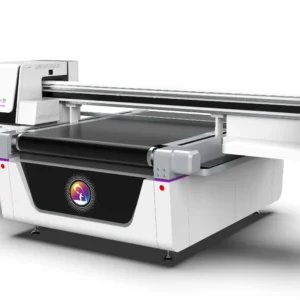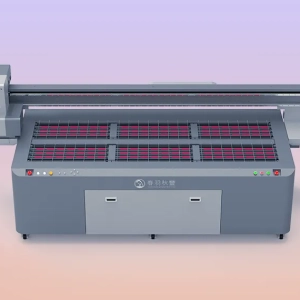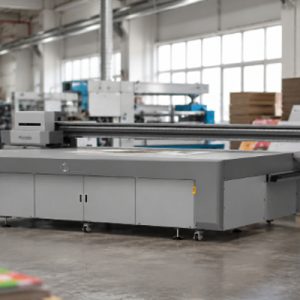
UV printers are often required to operate continuously for long periods in advertising production, industrial processing, packaging printing, electronic product housing printing, and customized product manufacturing. As production tasks increase, the equipment comes into contact with large amounts of materials, UV ink, and dust from the working environment every day. The print head, platform, ink supply system, and mechanical components will all experience different levels of contamination. Without proper maintenance, the workload of cleaning will gradually increase, and it may also affect the stability of equipment operation.
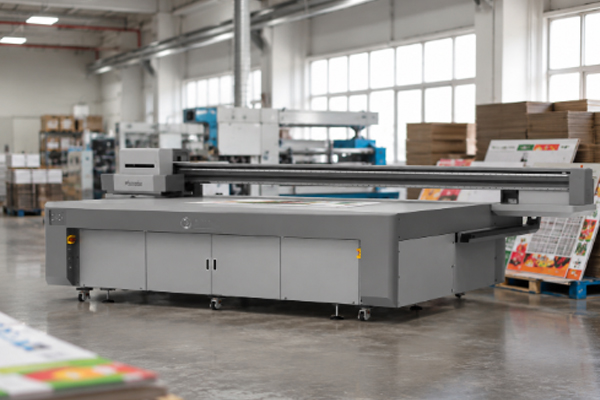
Reducing the cleaning pressure of a UV printer does not mean reducing the cleaning frequency. Instead, it means preventing dust, ink residue, and material debris from accumulating quickly through proper equipment usage, improved working conditions, and standardized maintenance habits. This approach can not only keep the equipment clean but also reduce repair work caused by unexpected failures. Spending a short amount of time on preventive maintenance every day can help avoid spending a large amount of time later dealing with clogging, contamination, and equipment abnormalities. Through proper UV printer management, cleaning work can become easier and production efficiency can be improved.
Methods to Reduce Cleaning Pressure When Using UV Printers Frequently
Maintain a Stable Printing Environment to Reduce Dust Entry
The working environment of a UV printer directly affects the cleaning frequency of the equipment. If there is a large amount of dust in the production area, debris will accumulate more easily inside the equipment and on the printing platform. Therefore, improving the working environment is an important method to reduce cleaning pressure. Many material processing operations generate dust, such as wood chips produced during wood board cutting, debris generated during acrylic processing, and fine particles from PVC materials. These contaminants can easily enter the printing area through air movement and attach to the platform or near the print head.
To reduce environmental contamination, the following measures can be taken:
- Keep the printing area clean and remove surrounding debris in time.
- Avoid placing the UV printer near areas with heavy dust-generating processing.
- Regularly clean the floor and workbench around the equipment.
- Provide dust protection when the equipment is not in use.
After reducing dust in the environment, the speed of internal equipment contamination will be significantly reduced, and the number of times workers need to perform deep cleaning will also decrease.
Perform Daily Minor Cleaning to Prevent Problem Accumulation
When UV printers are used frequently, waiting until obvious equipment problems appear before cleaning often requires more time and effort. Therefore, incorporating simple maintenance into the daily production process can reduce future cleaning difficulty. For example, after daily production, a few minutes can be spent checking the printing platform, the area around the print head, and the external condition of the equipment. Removing newly generated ink residue and material debris in time is much easier than dealing with dried or cured stains.
Daily maintenance can include:
- Wiping dust from the printing platform.
- Cleaning debris generated during material processing.
- Checking whether there is ink residue near the print head.
- Checking whether the ink supply system has any abnormal conditions.
These simple operations do not take much time but can reduce long-term accumulation of contaminants and help the equipment maintain a better working condition.
Check the Condition of Ink Tubes Regularly
When UV printers operate frequently, the ink tubes are one of the areas that are more likely to develop problems. In particular, white ink, due to its higher pigment particle content, is more likely to experience sedimentation after long-term use. If the ink circulation condition is not stable, it may cause unstable ink supply and require the print head to be cleaned frequently. Therefore, ensuring that the ink tubes operate normally can reduce maintenance pressure on the print head.
During daily use, attention should be paid to:
- Regularly checking the ink circulation function.
- Avoiding mixing different types of ink.
- Checking whether there are air bubbles in the ink tubes.
- Handling abnormal ink supply conditions promptly.
A stable ink supply condition can reduce the possibility of print head clogging and also reduce repeated cleaning caused by printing abnormalities.
Establish a Fixed Maintenance Process to Improve Management Efficiency
For companies that use UV printers frequently, relying only on temporary problem-solving methods can easily increase maintenance pressure. Establishing a fixed maintenance process can make equipment management easier. Different inspection tasks can be arranged according to equipment usage conditions. For example, basic cleaning can be performed daily, internal equipment conditions can be checked weekly, and deeper maintenance can be carried out monthly.
The maintenance process can include:
- Checking nozzle conditions every day.
- Regularly cleaning the printing platform.
- Inspecting guide rails and mechanical structures.
- Recording equipment abnormalities.
Through a fixed maintenance process, workers can identify problems in advance instead of waiting until serious equipment failures occur before taking action.
How Reducing Cleaning Pressure Helps UV Printer Operation
When UV printers operate at high frequency, proper maintenance can slow down equipment contamination and make cleaning work easier. Many companies believe that reducing cleaning pressure means reducing the number of maintenance tasks, but this is not the case. The correct approach is to make each cleaning process easier through preventive management. When the printing environment remains clean, the amount of dust entering the equipment will decrease. When the ink system remains stable, the possibility of print head clogging will be reduced. When the platform is cleaned promptly every day, material residue will not accumulate into difficult-to-remove stains.
At the same time, good maintenance habits can also extend the service life of equipment components. The print head, ink supply system, and mechanical structures can maintain stable operating conditions for a longer period, reducing replacement and repair costs. A UV printer does not necessarily develop more problems simply because it is used frequently. As long as the management method is reasonable, high-frequency production can also maintain stable printing performance.
Frequently Asked Questions
Does a UV printer need to be cleaned every day during daily production?
Basic inspections and simple cleaning are required. Cleaning platform dust every day and checking the print head condition can reduce contamination accumulation and prevent the need for more complicated maintenance later.
Does frequent printing increase the possibility of print head clogging?
If ink management and equipment maintenance are insufficient, frequent printing can indeed increase the risk of clogging. However, maintaining normal ink circulation and regularly checking nozzle conditions can effectively reduce the possibility of problems.
Can equipment cleaning be skipped to reduce cleaning frequency?
It is not recommended. Long-term lack of cleaning will cause dust and ink residue to continuously accumulate, making later cleaning more difficult and potentially affecting print quality.
How can you determine whether the equipment needs deep cleaning?
If problems such as frequent broken lines, abnormal color output, severe platform contamination, or unusual equipment operating sounds occur, the equipment condition should be checked and deeper maintenance should be performed.
UV printers require cleaning and maintenance during long-term high-frequency operation to ensure stable performance. Reducing cleaning pressure requires adjustments in several areas, including the working environment, daily operating habits, ink management, and maintenance procedures. Keeping the production area clean can reduce dust entering the equipment; removing residue around the platform and print head in time can prevent contamination buildup; maintaining stable ink supply can reduce the risk of print head clogging; and establishing a fixed inspection process can improve equipment management efficiency. When UV printers are used frequently, proper daily management and preventive maintenance can reduce cleaning pressure, keep the equipment in a stable printing condition, and minimize production interruptions caused by equipment failures.