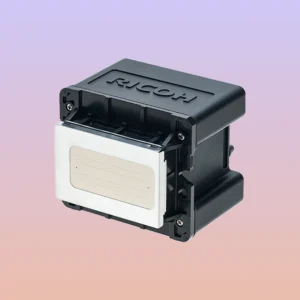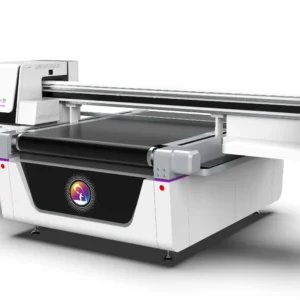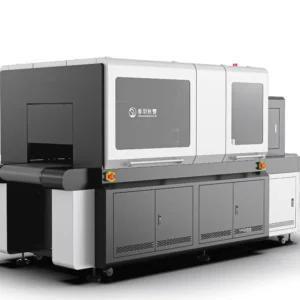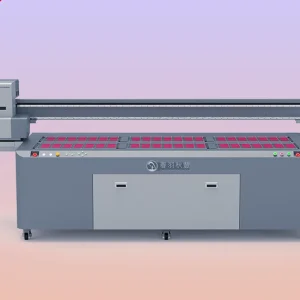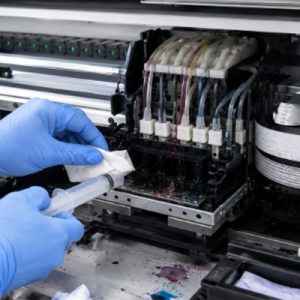
UV printers accurately spray UV ink onto the surface of materials through printheads, and then use ultraviolet light curing to form stable patterns. Therefore, the condition of the printhead directly affects the printing quality. Since UV ink contains components such as pigments and resins, ink residue, drying, and sedimentation may occur inside the printhead and on the nozzle surface during long-term use, resulting in printhead clogging. When a UV printer printhead becomes clogged, common symptoms include missing colors in printed patterns, broken lines, uneven colors, and unclear details.
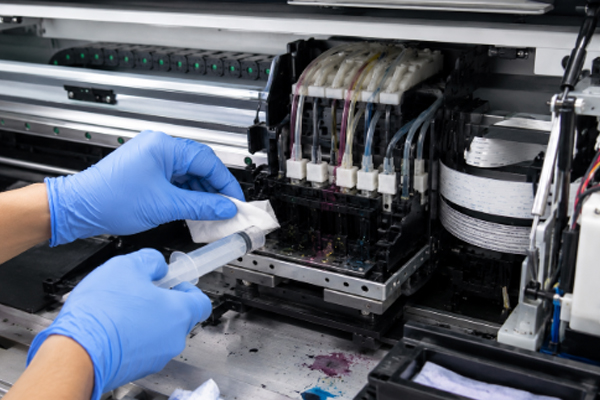
Because UV printheads are precision components, the nozzle openings are extremely small. Any tiny impurities or dried ink may affect the normal spraying of ink droplets. If clogging is not treated in time, it may further affect the service life of the printhead and even cause permanent damage. Therefore, when abnormal printing occurs, it is necessary to determine the degree of clogging in time and choose the correct cleaning method. Cleaning a UV printer printhead is not simply wiping the surface; it requires treatment according to the actual condition of the equipment. Minor clogging can be solved through the printer’s automatic cleaning function, while more serious clogging requires professional cleaning solutions for maintenance. Proper printhead cleaning can not only restore printing quality but also reduce production interruptions caused by equipment downtime.
Methods for Cleaning a Clogged UV Printer Printhead
Use the Automatic Cleaning Function to Handle Minor Clogging
When a UV printer has minor printhead clogging, the first step is to use the automatic cleaning function provided by the equipment. Most UV printer control systems include a printhead cleaning program, which uses the ink pump to draw ink and restore ink flow inside the printhead. Before performing automatic cleaning, check whether the ink supply is normal, confirm that there is enough ink in the cartridge, and check whether there are obvious air bubbles in the ink path. If the ink supply system has problems, cleaning may not improve the printhead condition.
After automatic cleaning is completed, a nozzle check pattern should be printed to evaluate the recovery of the printhead. If only a small number of nozzles are missing, another cleaning cycle can be performed. If the spraying effect returns to normal, production can continue.
When using automatic cleaning, pay attention to:
- Do not perform powerful cleaning cycles continuously multiple times.
- Check the nozzle test results after each cleaning.
- Avoid excessive consumption of large amounts of ink through frequent cleaning.
- Check whether the equipment operates normally during the cleaning process.
Proper use of the automatic cleaning function can solve some minor clogging problems while reducing the impact on the printhead.
Use Professional Cleaning Solution to Handle Printhead Clogging
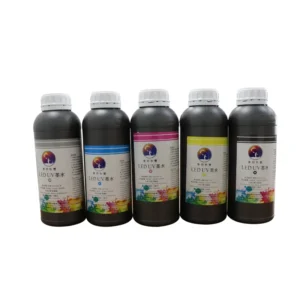
If automatic cleaning cannot solve the problem, it indicates that there may be obvious dried ink or sediment inside the printhead, requiring the use of a special UV printer cleaning solution. The cleaning solution can soften the remaining UV ink inside the printhead and gradually dissolve the clogged material. During operation, an appropriate method should be selected according to the equipment structure. Different models of UV printers have different printhead structures, so random disassembly should be avoided.During cleaning, professional tools can be used to introduce the cleaning solution into the printhead area and treat the clogged parts. For dried ink attached to the nozzle surface, a dust-free tool can be used to gently wipe it, avoiding damage to the nozzle.
During cleaning, pay attention to:
- Use a cleaning solution suitable for the type of UV ink being used.
- Do not replace professional products with ordinary solvents.
- Avoid sharp tools contacting the nozzle surface.
- Perform test printing after cleaning.
If the printhead has been clogged for a long time and the ink has completely cured, the cleaning process may require more time. It cannot be solved quickly through forceful operation.
Perform Deep Printhead Cleaning and Maintenance
For severe clogging caused by long-term equipment shutdown, normal cleaning may not restore the printhead, and deep maintenance is required. Deep cleaning usually involves inspection of the printhead, ink path, and ink supply system.Operators need to first confirm the location of the clogging and then handle it according to the equipment structure. For example, check whether there is dried ink inside the ink tube, whether the ink damper is functioning properly, and whether there are deposits inside the printhead.
During deep maintenance, the working environment must be kept clean to prevent new dust from entering the printhead area. If operators are unfamiliar with the equipment structure, they should not disassemble core components by themselves, as this may cause more serious problems.After deep cleaning is completed, new ink needs to be added so that the ink can circulate through the printhead system. Multiple nozzle tests should then be performed to confirm whether the printing performance has recovered.
Perform Daily Maintenance to Prevent Printhead Clogging Again
Printhead clogging is often related to insufficient daily maintenance. During long-term operation of UV printers, ink residue, dust, and equipment downtime can all affect the condition of the printhead. To reduce clogging problems, regular inspection habits should be developed.Before daily production, a nozzle check pattern can be printed to confirm the printhead condition. After production is completed, residual ink around the printhead should be cleaned to prevent ink from curing after remaining for a long time.
Daily maintenance should include:
- Keep the UV printer working environment clean.
- Regularly check the white ink circulation condition.
- Protect the printhead before long-term shutdown.
- Use UV ink that meets equipment requirements.
Good maintenance habits can reduce the probability of printhead clogging and improve equipment operating stability.
The Impact of Proper Printhead Cleaning on UV Printing Results
A clogged UV printer printhead not only affects printing speed but also directly affects product quality. When some nozzles of the printhead cannot work properly, ink droplets cannot accurately reach the designated positions, which easily causes defects in printed patterns. For example, when printing fine text, printhead clogging may cause incomplete edges of the characters; when printing large areas of color, uneven color density may occur.If the product requires multi-layer printing or special effect production, the condition of the printhead becomes even more important. Proper printhead cleaning can restore stable ink spraying and make printing results more uniform. At the same time, dealing with minor clogging in time can prevent the problem from becoming more serious.
Many users repeatedly perform powerful cleaning cycles after discovering abnormal printing, hoping to quickly restore the equipment. However, excessive cleaning not only wastes ink but may also increase the pressure on the printhead. Therefore, an appropriate cleaning method should be selected according to the actual clogging condition.Printhead maintenance requires a combination of cleaning and prevention. In addition to handling problems after they occur, regular equipment maintenance is equally important. Maintaining stable ink flow, controlling shutdown periods, and regularly checking nozzle conditions can all help reduce printhead clogging.
Frequently Asked Questions
Does a clogged UV printer printhead always need to be replaced?
Not necessarily. Many minor or moderate clogging issues can be restored through automatic cleaning and professional cleaning methods. Replacement should only be considered when the printhead is damaged or the clogging is too severe to repair.
Why are there still broken lines after cleaning the printhead?
If broken lines remain after cleaning, the problem may be related to air bubbles in the ink path, insufficient ink supply, aging of the printhead, or severe clogging. The overall condition of the equipment needs to be further checked.
Can alcohol be used to clean a UV printer printhead?
It is not recommended to use alcohol casually. UV printer printheads are made from special materials, and using an unsuitable cleaning agent may affect the printhead structure. A dedicated cleaning solution compatible with the equipment should be used instead.
How often should the printhead be cleaned?
The cleaning frequency depends on the actual usage conditions. High-frequency production equipment requires regular nozzle condition checks, while low-frequency equipment also needs proper shutdown protection to prevent ink from drying.
UV printer printhead clogging is a common problem during operation, mainly caused by ink residue, equipment shutdown, dust entering the system, and insufficient daily maintenance. When clogging occurs, the cleaning method should be selected according to the severity of the problem to avoid improper operations affecting printhead performance.Minor clogging can be handled through the printer’s automatic cleaning function. Moderate clogging can be treated with professional cleaning solutions, while severe cases require more detailed inspection and maintenance. During the cleaning process, correct tools must be used to avoid damaging the nozzle structure.During daily use, keeping the equipment environment clean and regularly checking nozzle conditions can effectively reduce printhead clogging. Through standardized cleaning procedures and proper maintenance habits, equipment failure rates can be reduced, printing quality can be improved, and UV printers can maintain more stable operating performance during production.