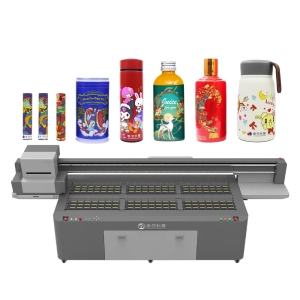
Glass products are among the most popular applications for UV printing. Whether it’s wine bottles, glass cups, decorative panels, or display signs, UV printing makes it easy to create customized designs. However, glass is also one of the most challenging materials to print on. Many beginners experience issues such as dull colors, poor adhesion, or blurry edges, even when the printer is working properly. The reason is simple—glass has an extremely smooth surface, which places higher demands on ink adhesion. By following a few practical techniques, you can significantly improve print quality and create products with a more professional appearance.
Prepare the Glass Surface Before Printing
Many people focus on the printing process itself while overlooking the preparation stage. If dust, fingerprints, or oil remain on the glass surface, the ink may not adhere properly, leading to peeling or uneven printing later.
Before printing, make sure to:
- Clean the glass thoroughly to remove dust, oil, and water stains.
- Avoid touching the printing area directly to prevent fingerprints and grease from contaminating the surface.
- Inspect the glass for scratches or surface defects that could affect the final print quality.
A properly cleaned glass surface often produces noticeably better results than one that hasn’t been prepared. Although this step is simple, it plays a major role in improving both print durability and overall appearance.
Adjust Printing Parameters for Glass
Glass behaves very differently from materials like wood or PVC because it does not absorb ink. Using the same settings for every material often leads to poor results. Proper adjustments help produce brighter colors and sharper image details.
Pay attention to the following settings during printing:
- Set the correct distance between the printhead and the glass to ensure stable ink placement.
- Adjust the printing speed based on image complexity, especially for detailed designs.
- Control ink volume and UV curing strength to achieve smooth, even color reproduction.
- Print a sample first to verify colors and quality before starting full production.
Every type of glass has its own characteristics. Thickness, transparency, and surface finish can all influence the final printing result. Spending a few minutes on sample testing can save both time and materials later.
Use White Ink and Varnish to Enhance Visual Effects
Many people think UV printing simply means applying full-color graphics onto glass. In reality, white ink and varnish are just as important, especially when printing on transparent glass.
These techniques can improve the final appearance:
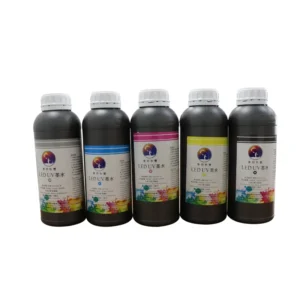
- Apply a white ink base to make colors brighter and more vibrant.
- Use spot varnish to create gloss, texture, and a premium finish.
- Adjust the white ink coverage according to the product design to improve depth and layering.
Products such as glass wine bottles, perfume bottles, and cosmetic packaging often combine white ink and varnish to create a more refined and eye-catching appearance.
Regular Maintenance Helps Maintain Print Quality
Many businesses believe print quality depends only on the printer itself. In fact, regular maintenance is equally important for producing consistent results. A well-maintained printhead, guide rail, and curing system can keep printing quality stable over the long term.
Good maintenance habits include:
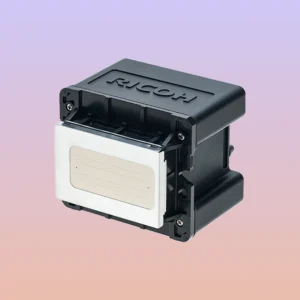
- Clean the printhead regularly to maintain smooth ink flow.
- Inspect guide rails and moving components to prevent positioning errors during printing.
- Keep the printing environment clean to reduce dust entering the machine.
These routine tasks may seem small, but over time they make a noticeable difference. Proper maintenance reduces unexpected downtime and helps ensure every batch of glass products delivers consistent, high-quality results.
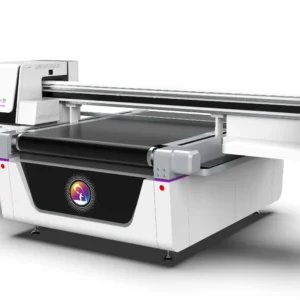
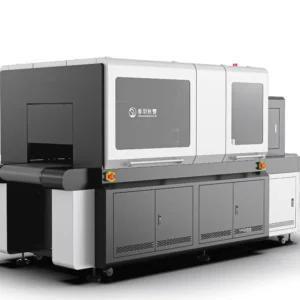
Achieving clear, vibrant, and durable UV printing on glass requires more than just a good printer. Surface preparation, parameter adjustments, white ink application, and regular equipment maintenance all contribute to the final result. Paying attention to these details helps improve product quality while reducing rework and material waste. SpringYprinter provides professional UV printing solutions to help businesses produce high-quality customized printing on glass and many other materials.