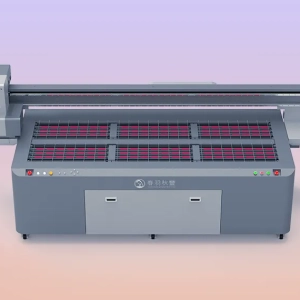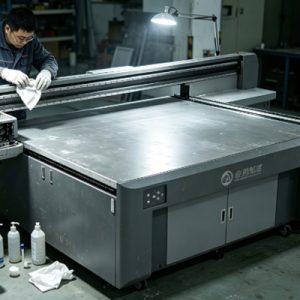
A UV printer can print on a wide variety of materials, including acrylic, glass, metal, PVC, wood panels, KT boards, leather, and ceramics. As a result, different types of residue are left behind during daily production. These may include cutting debris, dust, powder, adhesive residue from protective films, and small amounts of cured ink. Over time, these residues accumulate on the printing platform, inside the vacuum holes, around the guide rails, and even inside the printer. If they are not removed promptly, they can not only affect the cleanliness of the equipment but also reduce print quality and operational stability.Although material residue may appear to be only tiny particles, it can change the contact between the material and the printing platform. When debris or adhesive residue is present on the platform surface, the material cannot sit completely flat, causing slight variations in printing height.
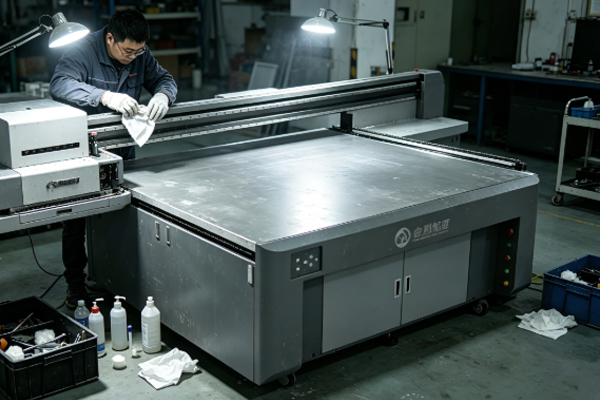
Some materials easily generate static electricity during processing, which attracts dust from the surrounding air and causes residue to accumulate even more quickly. If these contaminants move into the printing area with the printhead, they may adhere near the printhead and increase the risk of nozzle clogging. Over time, equipment maintenance becomes more complicated and may even interrupt normal production. Therefore, cleaning material residue promptly after each day’s production not only helps maintain a clean working environment for the UV printer but also improves printing accuracy, reduces equipment failures, and increases production efficiency. Although this task is simple, it is an essential part of routine maintenance.
Methods for Cleaning Material Residue from a UV Printer
Clean Debris and Dust from the Printing Platform
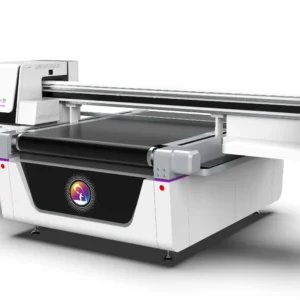
The printing platform is where materials are placed and is also the area where residue accumulates most easily. Materials such as wood panels, PVC sheets, and acrylic boards leave varying amounts of dust and debris during handling and processing. After production is completed, the platform surface should be cleaned promptly. A lint-free cloth can be used to gently wipe the surface, or a soft brush can be used to gather and remove fine particles. For vacuum platforms, it is also important to check whether debris is blocking the vacuum holes, as this may reduce suction performance.
When cleaning the platform, pay attention to the following:
- Wipe the platform surface with a lint-free cloth.
- Use a soft brush to remove debris from corners and edges.
- Check whether the vacuum holes are blocked by dust or powder.
- Confirm that the platform remains flat after cleaning.
Keeping the platform clean allows printing materials to be securely positioned, improving printing accuracy.
Remove Adhesive Residue and Cured Ink
Some printing materials are covered with protective films. After these films are removed, small amounts of adhesive residue may remain on the platform or in the contact area. In addition, ink mist or ink drips during printing may leave cured UV ink on the platform surface. These residues are more difficult to remove than ordinary dust.Using hard tools to scrape them off may scratch the platform, so it is recommended to use a professional cleaning solution designed for UV printing equipment. The cleaning solution softens the adhesive or cured ink, allowing it to be gently wiped away with a soft cleaning tool.
During cleaning, pay attention to the following:
- Do not use sharp metal tools to scrape off residue.
- Choose cleaning products suitable for UV printing equipment.
- Apply even pressure while wiping.
- Check again after cleaning to ensure the platform remains flat.
Removing these residues promptly helps prevent uneven material placement and reduces printing misalignment.
Clean Debris Around the Guide Rails and Inside the Printer
Material debris not only remains on the printing platform but may also enter the guide rail area and the inside of the printer as the equipment operates. For example, wood, PVC boards, and KT boards often produce fine dust during processing. If these particles enter the guide rails or slider assemblies, they may affect the smooth movement of the machine.When cleaning around the guide rails, gently wipe them with a soft lint-free cloth or use a small vacuum cleaner to remove debris from corners and hard-to-reach areas.
The following maintenance tasks are recommended:
- Check whether dust has accumulated on the guide rails.
- Remove debris around the edges of the printing area.
- Inspect the inside of the printer for excessive powder accumulation.
- Keep the area around moving components clean.
Clean guide rails allow the printhead to move more smoothly, helping maintain accurate image positioning.
Develop a Daily Post-Production Cleaning Routine
Material residue should not only be cleaned when problems occur but should become a routine task after each production day. Different materials leave different types of residue. For example, wood generates more dust, acrylic easily attracts airborne dust due to static electricity, and PVC materials may leave small debris. Therefore, the cleaning frequency should be adjusted according to the production materials.
The following habits are recommended:
- Clean the printing platform after each production day.
- Check the platform before switching to a different material.
- Regularly inspect the inside of the printer for dust buildup.
- Keep the equipment surface clean before shutting down.
A standardized cleaning routine helps prevent residue from continuously accumulating and enables operators to identify equipment abnormalities at an early stage.
How Does Material Residue Affect UV Printing Quality?
Many printing quality issues are related to material residue. When debris remains on the platform surface, the printing material cannot sit completely flat, changing the distance between the printhead and the material and affecting inkjet accuracy.For products requiring fine text, QR codes, or high-precision graphics, even slight variations in the material surface can influence the final printing result. Some users notice blurred image edges or uneven local colors, which are not always caused by printhead problems but may instead result from residue remaining on the platform.
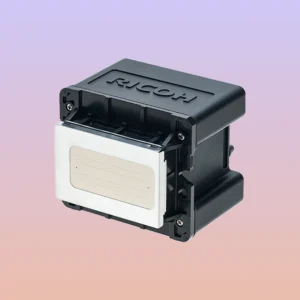
If material dust enters the printing area, it may also accumulate around the printhead. When dust mixes with UV ink, it increases the likelihood of nozzle contamination, requiring more frequent printhead maintenance. A large buildup of debris around the guide rails may also affect machine movement accuracy. Although the effects may not be obvious in the short term, long-term accumulation increases movement resistance and affects print positioning.Therefore, removing material residue promptly not only keeps the equipment clean but also reduces many overlooked printing issues, making the production process more stable.
Frequently Asked Questions
Should the printing platform be cleaned after every print job?
It is recommended to perform basic cleaning after each production day. If different materials are changed frequently during production, the platform should also be cleaned promptly to prevent mixed residue from affecting print quality.
Can adhesive residue on the platform simply be scraped off?
No. It is not recommended to scrape adhesive residue directly. Instead, soften it with a professional cleaning solution before wiping it away to avoid scratching the platform surface.
Why is there so much dust after printing on wood panels?
Wood processing naturally produces fine dust, which easily settles on the platform and around the equipment. Therefore, additional cleaning is recommended after printing wooden materials.
Will material debris affect the printhead?
Yes. If debris enters the printing area, it may accumulate around the printhead and affect inkjet stability. Therefore, it should be cleaned promptly.
Material residue on a UV printer mainly consists of debris, powder, adhesive residue, dust, and small amounts of cured ink. If these contaminants accumulate over time, they can affect the flatness of the printing platform, the stability of material positioning, and the overall operating condition of the equipment.During routine maintenance, special attention should be given to cleaning the printing platform, vacuum holes, guide rails, and the surrounding areas of the printer.
Ordinary dust can be removed using a lint-free cloth and a soft brush, while adhesive residue and cured ink should be cleaned with professional cleaning products to avoid damaging the equipment surface.Establishing a regular cleaning routine helps prevent material residue from continuously accumulating and improves printing stability. Spending just a few minutes on basic maintenance after each production day not only keeps the equipment clean but also reduces the risk of printhead contamination, positioning errors, and other common problems. Keeping a UV printer in a consistently clean condition helps improve print quality, extends the service life of critical components, and ensures a smoother and more efficient production process.