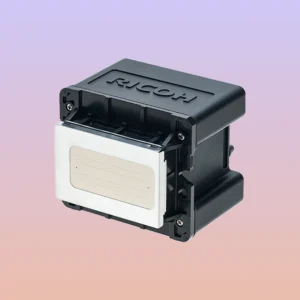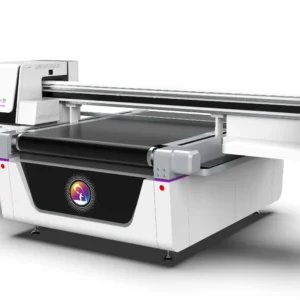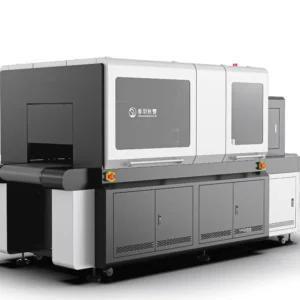
During daily operation, the printhead, ink delivery system, and related ink supply components of a UV printer are continuously exposed to UV ink. As the printer continues to operate, some ink inevitably remains on the printhead surface, capping station, ink line connections, and other areas. If these residues are not removed promptly, they may eventually lead to dried ink, clogged nozzles, unstable ink supply, and other problems. Therefore, many users choose to use dedicated cleaning solutions to maintain their equipment, helping keep the printhead in good working condition while improving print quality and overall equipment stability.However, there are many different types of UV printer cleaning solutions available on the market. Different brands, formulations, and intended applications have their own characteristics.
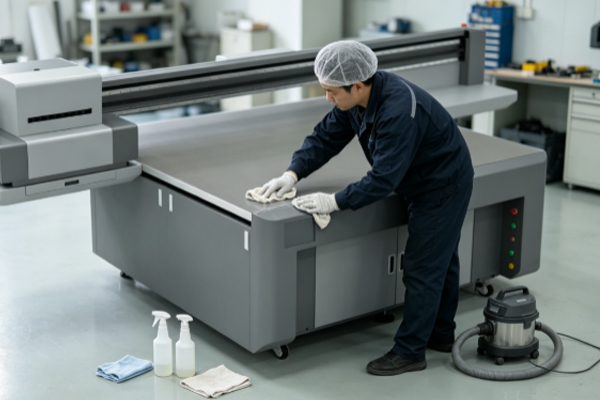
Some products are designed for routine maintenance, while others are intended for deep printhead cleaning or for restoring equipment after extended periods of inactivity. If a cleaning solution is selected without considering the printer model and actual maintenance requirements, or if ordinary solvents or incompatible cleaning products are used, the cleaning performance may be unsatisfactory. More importantly, they may damage printhead seals, ink delivery components, or even affect printing accuracy, resulting in higher maintenance costs. By understanding the characteristics of different cleaning solutions and selecting one according to the equipment manual and actual application requirements, users can choose the most suitable cleaning solution for their UV printer.
What Should You Consider When Choosing a UV Printer Cleaning Solution?
● Choose a Cleaning Solution According to the Printhead Model
Different brands and models of UV printers use different printhead designs, and their requirements for cleaning solution formulations are not exactly the same. Some printheads are particularly sensitive to the ingredients contained in cleaning solutions. Using an unsuitable product may affect the internal structure of the printhead or even accelerate seal aging.Before purchasing a cleaning solution, refer to the equipment manual or consult the printer manufacturer to confirm the recommended product type. Choosing a cleaning solution that is compatible with the printhead not only dissolves residual ink more effectively but also reduces the risk of damaging the printhead. Consistently using a cleaning solution that matches the UV printers used in your business also helps maintain standardized maintenance procedures and avoids unnecessary problems caused by mixing different products.
● Select Different Products According to the Cleaning Purpose
UV printer maintenance involves different types of cleaning tasks, so cleaning solutions are also designed for different purposes. Some products are suitable for daily maintenance and are intended to remove small amounts of ink residue from the printhead surface. Others have stronger cleaning capabilities and are better suited for removing nozzle blockages or hardened ink.If only routine maintenance is required, there is generally no need to frequently use high-strength cleaning solutions, as this may place unnecessary stress on the printhead. When minor nozzle clogging occurs or the printer has been idle for an extended period, selecting the appropriate cleaning solution according to the actual situation is more beneficial for maintaining stable printer performance. Properly distinguishing between different applications also helps avoid unnecessary waste of cleaning solution and improves maintenance efficiency.
● Pay Attention to Product Quality and Ingredient Safety
When selecting a cleaning solution, price should not be the only consideration. Product quality, manufacturer reputation, and the main ingredients should also be evaluated. Lower-quality products may contain excessive impurities, evaporate too quickly, or have stronger corrosive properties, all of which may shorten the service life of the printhead.Dedicated cleaning solutions produced by reputable manufacturers are usually tested for compatibility and are more suitable for UV printing equipment. Before purchasing, check the product description, compatible equipment range, and storage requirements. Avoid purchasing products with unclear origins or without adequate product information. A high-quality cleaning solution not only provides better cleaning performance but also reduces the likelihood of unexpected maintenance problems.
● Avoid Replacing Dedicated Cleaning Solutions with Ordinary Solvents
Some users attempt to reduce maintenance costs by using alcohol, lacquer thinner, or other industrial solvents instead of dedicated UV printer cleaning solutions. Although some solvents can dissolve ink, this does not mean they are suitable for long-term equipment maintenance.Ordinary solvents may affect printhead seals, ink tubing, and plastic components. In severe cases, they may even cause component aging, deformation, or ink leakage. Since different printer brands have different levels of chemical resistance, it is not recommended to mix or substitute cleaning products without approval. Using the cleaning solution specified for the equipment is not only safer but also helps extend the service life of key printer components.
How to Use Cleaning Solution Correctly?
Many users believe that increasing the frequency of cleaning will provide better protection for their UV printer. In reality, maintenance effectiveness depends not only on the cleaning solution itself but also on how it is used. Excessive deep cleaning or allowing cleaning solution to remain inside the printhead for an extended period may also affect printer performance.Following the equipment maintenance guidelines and performing routine maintenance or targeted cleaning only when necessary is usually more effective than blindly increasing the cleaning frequency. During daily maintenance, users can schedule maintenance according to nozzle test results, printing performance, and the printer’s operating condition so that the cleaning solution can achieve its intended effect. Combining proper maintenance habits with an appropriate cleaning solution helps maintain stable print quality while reducing the likelihood of equipment failures.
Frequently Asked Questions
Q: Can all UV printers use the same cleaning solution?
Not necessarily. Different brands and printhead models may have different cleaning solution requirements. It is recommended to choose products recommended by the equipment manufacturer or those clearly identified as compatible with your printer model.
Q: Can alcohol be used instead of a UV printer cleaning solution?
Generally, it is not recommended. Although alcohol has certain cleaning properties, it cannot replace a dedicated cleaning solution and may affect the printhead and sealing components if used over a long period.
Q: Is the most expensive cleaning solution always the best?
Price is not the only factor to consider. Choosing a product from a reputable manufacturer that is compatible with your printer model and suitable for your actual maintenance requirements is more beneficial for long-term stable equipment operation.
Although a UV printer cleaning solution is only an auxiliary maintenance product, it plays an important role in maintaining the printhead, ink delivery system, and overall printing performance. Choosing a product that is compatible with the equipment, offers reliable quality, and is designed for the intended maintenance purpose helps remove ink residue, improve cleaning effectiveness, and reduce the risk of equipment failures caused by improper maintenance. Rather than focusing solely on price, greater attention should be given to product compatibility and reliability. Consistently selecting and using cleaning solutions according to the equipment requirements, while following standardized maintenance procedures, helps keep the printhead clean and the ink supply stable. Developing proper long-term maintenance habits not only maintains consistent print quality but also reduces repair frequency, improves equipment efficiency, and keeps the UV printer operating in excellent condition.