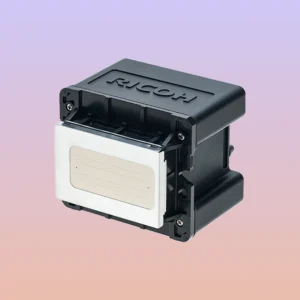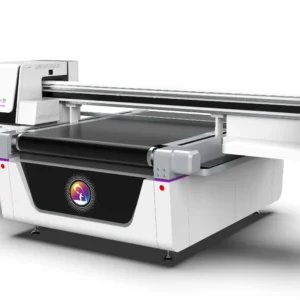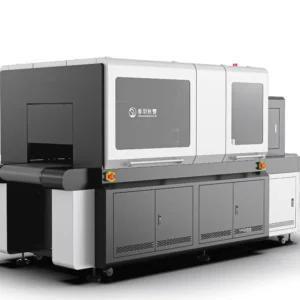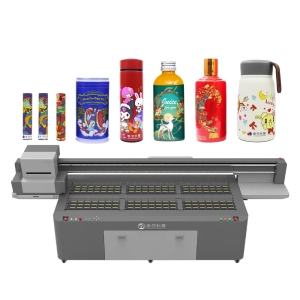
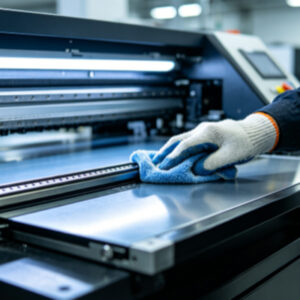
UV printers are industrial digital printing devices designed for long-term continuous operation. During use, the printhead, ink delivery system, guide rails, printing platform, and ink suction system are constantly exposed to UV ink, dust, and material debris. If maintenance is neglected for an extended period, these residues will gradually accumulate, affecting print quality and increasing the likelihood of equipment failure. On the other hand, performing deep cleaning too frequently may increase printhead wear and waste ink. Therefore, cleaning is not a matter of doing it as often as possible. Instead, it should be scheduled according to the printer’s usage frequency, working environment, and production workload. Some machines operate continuously for more than ten hours every day, while others are only used a few times a week, so their maintenance schedules naturally differ.
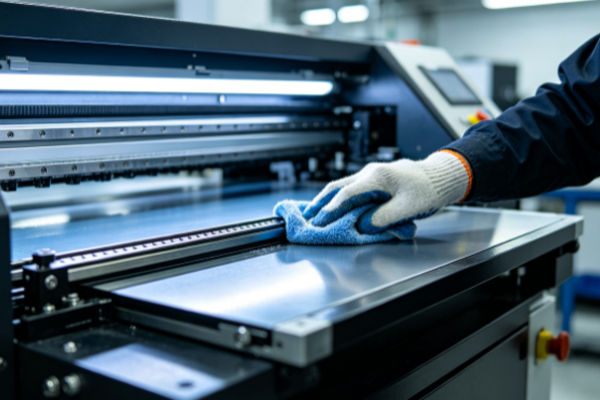
A more effective approach is to combine daily inspections, routine maintenance, and periodic deep servicing, adjusting the maintenance schedule according to the actual operating condition of the equipment instead of waiting until print quality begins to decline. Establishing a standardized maintenance plan not only helps keep the printhead spraying consistently but also ensures smooth ink flow, stable guide rail movement, and a clean printing platform, allowing the printer to remain in good working condition over the long term. Compared with repairing faults after they occur, preventive maintenance is more beneficial for maintaining production efficiency while reducing downtime and repair costs.
Recommended Maintenance Schedule for Different Components
● Perform Basic Inspection and Simple Maintenance Every Day
After daily production is finished, perform a simple inspection of the printhead, printing platform, and the exterior of the machine. Check for visible ink residue, dust accumulation, or material debris. This type of routine maintenance takes very little time but allows small issues to be identified before they become more serious.
Carry out basic printhead maintenance according to the equipment requirements. Gently wipe the printing platform with a soft lint-free cloth to keep the material placement area clean. Dust on the exterior of the printer should also be removed to reduce the chance of airborne particles entering the internal structure. Maintaining this daily routine helps ensure stable printing performance.
● Inspect the Guide Rails and Ink Delivery System Every Week
After several consecutive days of operation, perform a more detailed inspection. Focus on checking whether dust has accumulated on the guide rails, whether lubrication remains sufficient, whether there are visible air bubbles inside the ink tubes, whether the ink cartridge connections are secure, and whether the filters have accumulated contaminants.If increased resistance is noticed when the guide rails move, remove the surface dust promptly and apply an appropriate amount of lubricant according to the equipment manual. Keeping the ink delivery system flowing smoothly ensures stable ink supply and reduces stress on the printhead. Although this type of maintenance is not necessary every day, performing it once a week helps detect potential problems early.
● Perform Comprehensive Maintenance and Internal Inspection Every Month
After an extended period of operation, schedule a more comprehensive maintenance session. This includes inspecting the ink suction system, waste ink system, cooling fan areas, cable connections, and the overall cleanliness inside the machine.Dust that accumulates over time may reduce cooling efficiency and can also enter moving components. Checking that all connections remain secure helps prevent loosening during operation. For equipment with heavy production workloads, performing a complete monthly maintenance routine helps maintain overall operating stability.
● Protect the Printer Before Extended Shutdowns
If the printer will remain unused for several days or even longer, proper protective maintenance should be completed before shutting it down rather than simply turning off the power.The printhead should receive the recommended moisturizing or storage maintenance, and the ink delivery system should remain in good condition to prevent ink from drying inside the system. Before restarting the printer, perform a nozzle test and basic inspection to confirm that ink supply is normal and that the guide rails move smoothly before resuming production. These procedures help reduce nozzle clogging and abnormal ink output after extended idle periods while allowing the printer to return to normal operation more quickly.
Cleaning Frequency Should Be Adjusted According to the Printer’s Condition
Although many manufacturers provide maintenance recommendations, the daily workload of each printer is different, so maintenance schedules should not simply follow a fixed timetable.Workshops with long production hours, high printing volumes, or dusty environments generally require shorter inspection intervals. Printers with lighter workloads and cleaner environments can usually follow the standard maintenance schedule.Maintenance decisions should be based not only on time intervals but also on the machine’s operating condition. For example, missing nozzle lines during nozzle tests, increased ink residue on the platform, louder guide rail movement, or uneven printing colors all indicate that maintenance should be performed promptly rather than waiting for the next scheduled inspection. Adjusting maintenance according to actual equipment performance helps maintain consistent print quality.
Frequently Asked Questions
Q: Does the printhead need deep cleaning every day?
Generally, no. Daily basic maintenance is usually sufficient. If the printhead is operating normally without nozzle clogging or missing lines, frequent deep cleaning is not recommended because it may increase printhead wear and ink consumption.
Q: If the printer has not been used for several days, should it be cleaned immediately?
If the idle period is relatively short, perform a nozzle test first and decide whether maintenance is necessary based on the test results. If the printer has been idle for an extended period, it is recommended to perform printhead maintenance and a basic inspection before resuming printing.
Q: If the working environment is clean, is regular maintenance still necessary?
Yes. Even in a clean environment, ink residue naturally accumulates during printing, and small contaminants gradually build up inside the equipment over time. Therefore, regular inspections and scheduled maintenance are still recommended.
Example of a Maintenance Schedule
An advertising signage manufacturer uses a UV printer every day to print acrylic sheets, PVC boards, and wooden panels. The printer operates for nearly ten hours daily. The staff follows a maintenance schedule that includes daily basic maintenance, weekly inspection of the guide rails and ink delivery system, and one comprehensive maintenance session every month. As a result, the printhead remains in good working condition, print quality stays consistent, and equipment failures occur relatively infrequently.
Another user receives fewer orders and only operates the printer two or three times each week. Although the machine runs less often, the operator checks the nozzle test pattern before every startup, performs routine maintenance before shutdown, and properly protects the printhead before extended idle periods. As a result, the printer resumes operation without noticeable nozzle clogging or abnormal ink output after being idle.These examples demonstrate that maintenance schedules should be based on actual equipment usage rather than simply following a fixed number of days.
There is no single cleaning schedule that is suitable for every UV printer. The most appropriate maintenance plan should be determined by considering daily operating hours, printing materials, environmental conditions, and the actual operating condition of the equipment. Performing daily basic inspections, weekly checks of the guide rails and ink delivery system, and comprehensive monthly maintenance—while adjusting the schedule according to actual equipment performance—helps keep every component in good working condition. Developing standardized maintenance habits is far more effective than waiting until faults occur. Maintaining stable printhead performance, consistent ink supply, smooth guide rail movement, and a clean, level printing platform not only ensures consistent print quality but also reduces downtime and allows the entire printing process to remain stable and efficient.