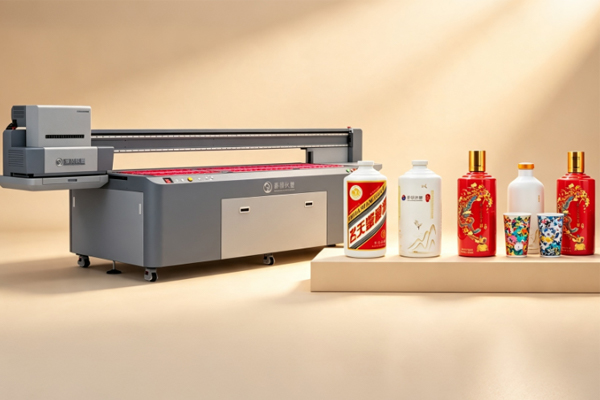
Nowadays, more and more products are focusing on appearance design, such as tumblers, thermal bottles, wine bottles, cosmetic containers, and packaging cans. Many businesses use printed logos, patterns, and personalized images to make their products more attractive. However, while cylindrical products have unique shapes, they can also create challenges during printing. A design that looks perfect on a computer screen may appear stretched, tilted, or misaligned after being printed on a bottle or cup.Why does this happen? The main reason is that cylindrical surfaces are different from flat surfaces, and graphics need to be adjusted properly before printing. To achieve accurate and high-quality cylindrical printing, businesses need to choose the right cylindrical printer and pay attention to design preparation, equipment settings, and production details.
Understand Why Image Distortion Happens in Cylindrical Printing
When printing on cylindrical products for the first time, many users simply upload a flat design file and start printing. As a result, the final product may look different from the original design. This is not necessarily a printer problem, but often happens because of the curved surface of cylindrical products.
Common causes of image distortion include:
- The curved surface changes the proportions of the design when it is applied to the product
- Incorrect measurements of product diameter and height cause image positioning errors
- Design files are not adjusted properly, causing stretching after printing
For example, when printing a logo on a cup, if the design does not consider the curve of the surface, the logo may appear wider on both sides and the text may look unnatural. Before production begins, understanding the product size and printing area is important. Proper preparation can greatly improve the final result.
Adjust Design Files in Advance for More Accurate Printing
Many customers believe that a high-resolution image will automatically produce a perfect print, but cylindrical printing has different requirements from regular image printing. Since the product surface is curved, the design file needs to be adjusted according to the actual product shape.
When preparing the design file, consider the following:
- Adjust the image size based on the diameter and height of the cup or bottle
- Place important logos and text in flatter areas to reduce distortion
- Test continuous patterns in advance to prevent connection errors
For example, when printing a brand logo on a thermal bottle, placing the logo in the center area usually creates a better visual effect. If the logo is positioned too close to the edge, the curved surface may make the design appear uneven. Proper design adjustment can reduce production issues and save time.
Cylindrical Printer Settings Determine Printing Stability
Besides the design file, printer settings also play an important role in the final printing quality. Different product sizes and materials require different adjustments. If the settings are incorrect, problems such as inaccurate positioning, uneven colors, or distorted graphics may occur.
During production, businesses should pay attention to:
- Adjusting rotation speed according to product size to ensure continuous image printing
- Selecting suitable print resolution to maintain clear details
- Adjusting the printhead height to avoid inaccurate ink placement
- Performing test prints before starting large-scale production
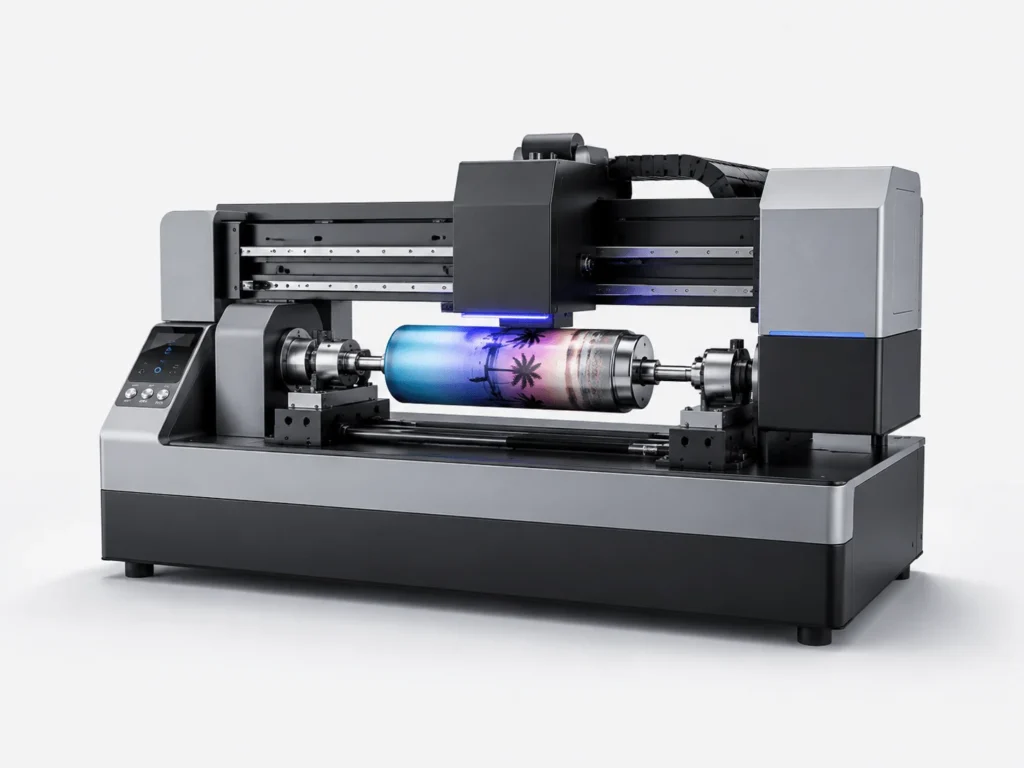
The biggest advantage of a cylindrical printer is its ability to accurately print on curved products through rotation. However, proper settings are necessary to fully utilize its performance. Optimizing parameters can significantly reduce printing problems when working with different product sizes and materials.
How to Keep Cylindrical Printing Consistent in Mass Production?
For customization businesses, printing one perfect product is not difficult. The real challenge is maintaining the same quality across hundreds or thousands of products. If the same batch has different colors, positions, or image sizes, it can affect overall product quality.
To ensure stable production results, businesses can:
- Keep product specifications consistent to reduce size-related printing errors
- Use a fixed installation method to ensure accurate positioning every time
- Check equipment regularly to prevent printhead or mechanical issues
- Save optimized printing parameters for repeated production
A stable production process helps reduce rework and improve efficiency. For gift companies, packaging manufacturers, and brand customization businesses, consistent printing quality not only improves product appearance but also increases customer satisfaction.Preventing image distortion in cylindrical printing requires more than just choosing a high-performance printer. Design preparation, product measurements, equipment settings, and production processes all affect the final result. By selecting the right cylindrical printer and using proper printing methods, businesses can achieve clearer and more accurate results on cups, bottles, and other cylindrical products. SpringYprinter provides professional cylindrical printer solutions to help businesses achieve high-quality and stable printing performance for cylindrical products.